Selection Fields
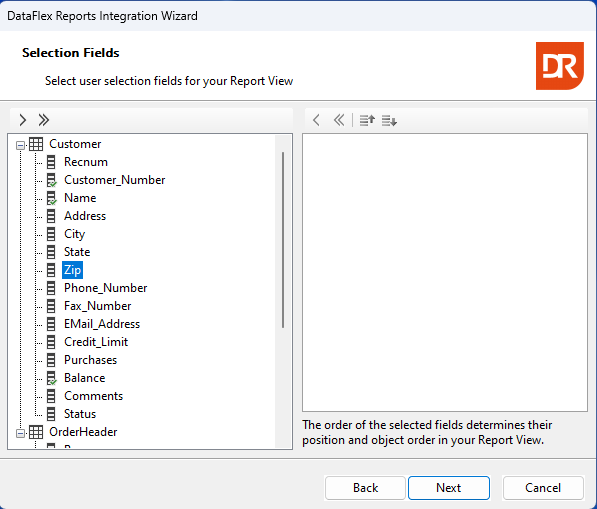
For each selected column, an input control gets created.
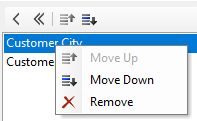
The order of the input controls can be changed via right mouse click as shown in the above image.
Note: The wizard will automatically create a connection to a selection list component if the workspace contains a data dictionary class for the table of the selected columns.
A drop-down (comboform) control will be created if the data dictionary contains a validation table for the selected columns.
If no data dictionary can be found or if the report uses ODBC or RDS data, this feature cannot be offered, and the developer would need to write their own logic.
The next step depends on settings read from the report:
- When the report contains one or more predefined filters created by the filter expert, the next step is about keeping these.
- When option 1 is not true and the report contains a filter function definition, the next step is about keeping this.
- When options 1 and 2 are not true and the report contains one or more parameters, the next step is parameter usage.
- When there are no parameters and no predefined filters, the next step is sort order.