Time Objects
This tab-page makes it possible to change the defaults for a new time (or time portion of a date-time) type object.
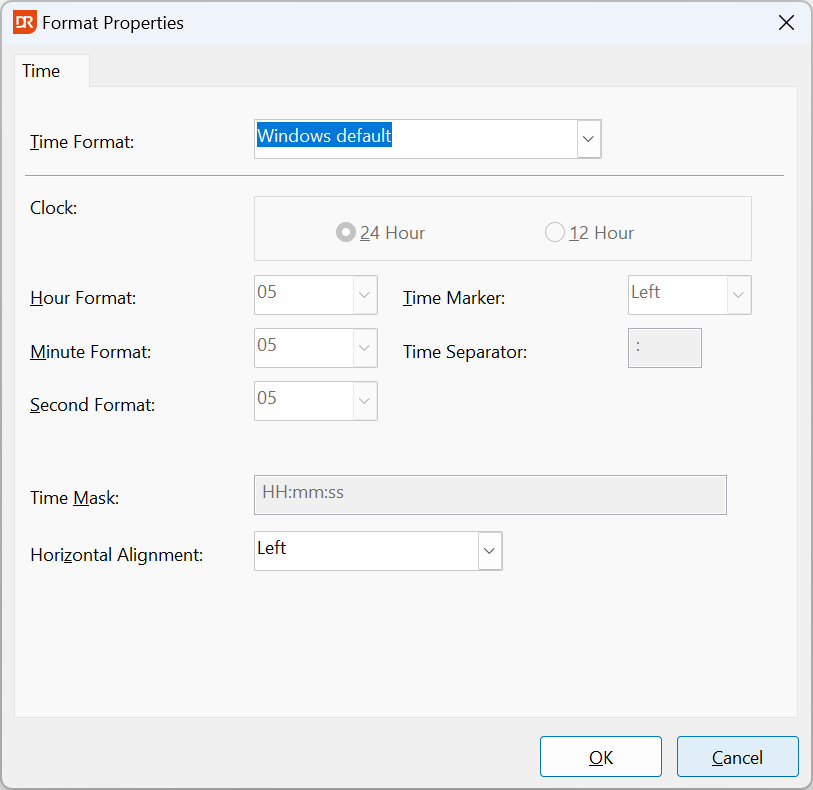
Time Format
Choose from the following options:
| Number Format | Description |
|---|---|
| Windows Default | Use the formatting options defined in the Windows regional settings for a time value |
| Custom | Use the Date Ordering, Hour Format, Minute and Second Format, Time Marker and Time Separator to construct a time mask |
| Custom Mask | Enter a custom time mask |
| None | Do not display a time value at all |
The settings Date Ordering till Time Mask can be changed only when the time format is "Custom" or "Custom Mask".
Other Options
The following options are available:
| Option | Description |
|---|---|
| Horizontal Alignment | Number values are usually aligned on the right-hand side of an object but the default can be changed to "Centered" or "Left". |
Notes:
- If a report hardly ever contains a real date-time value, consider setting the default to "None".