Sections
A report is built up of several sections. The following sections are available.
| Section | Description |
|---|---|
| Report Header | Is the very first section of the report that gets printed |
| Page Header | Is printed at the beginning of every page |
| Group Header | Is printed at the beginning of each group |
| Details | Is printed for each row |
| Group Footer | Is printed at the end of each group |
| Report Footer | Is the very last section of the report that gets printed |
| Page Footer | Is printed at the bottom of every page |
In the DataFlex Reports Studio, this looks like:
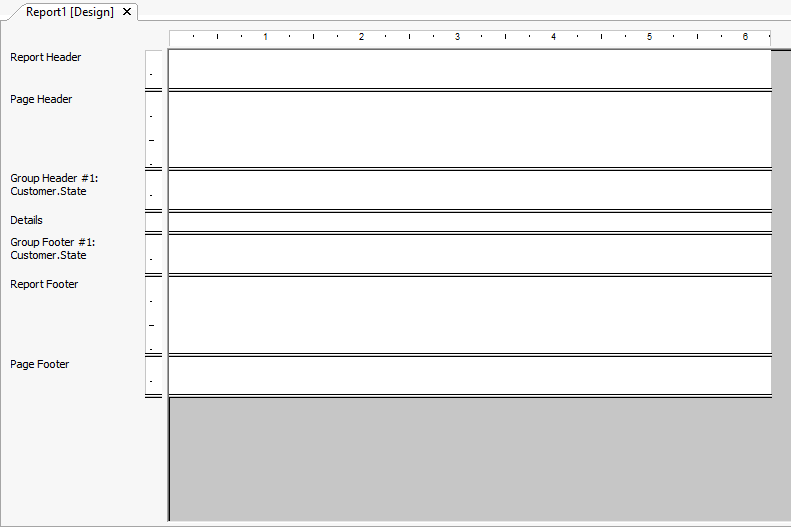
In some cases, it makes sense to split one section into multiple sections.
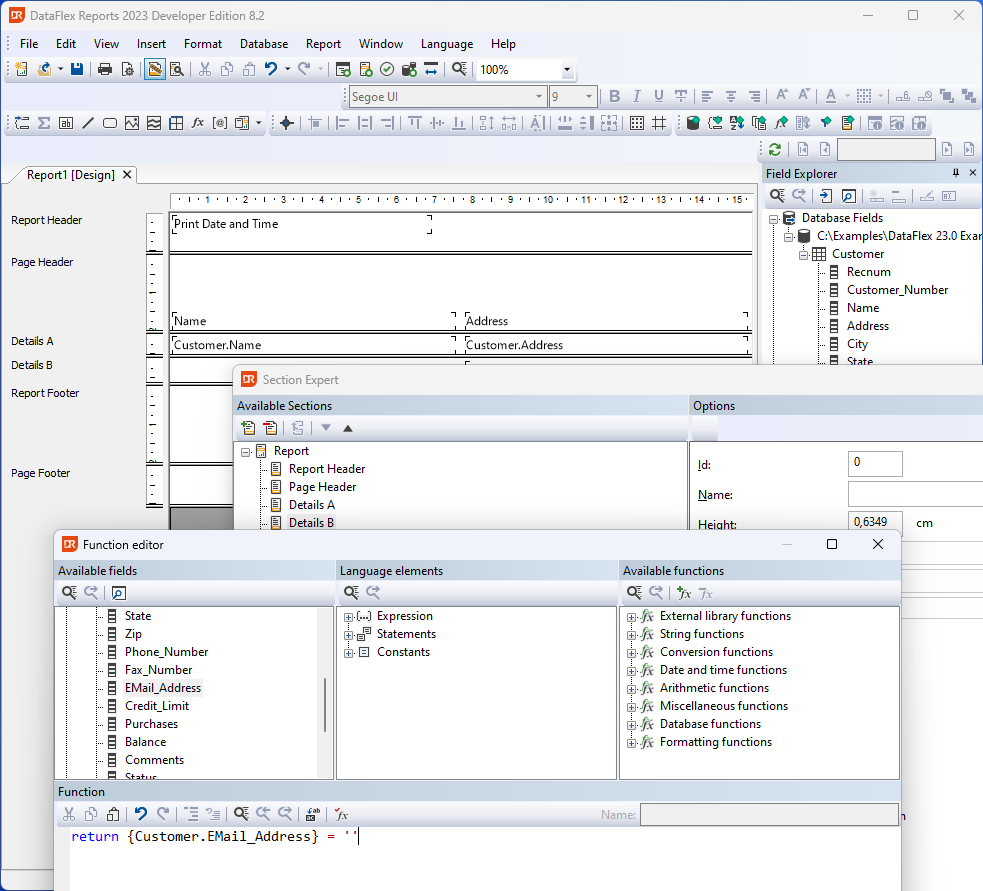
Let's suppose that the 'Details' section contains a field that can either have a value or be empty. The empty field could cause unwanted white space in the report. By splitting up the Details section, the conditionally filled field can be placed in that section. If the field is empty, the section can then be suppressed.
The image below shows a report with customer details split into ‘Details A’ showing data unconditionally, and ‘Details B’ showing details conditionally. The option ‘Hide this section' for the ‘Details B’ section is set by a function to suppress that section in case the field is empty.
Another practical use of splitting sections is for supporting language dependencies. An extra section for each language can be added. A section can then be suppressed or shown depending on a variable that indicates which language should be used.
An example of a function for hiding a section based on a language code:
if ({Customer.Country} <> 'USA') then
    return True
else
    return False
end