How to control the height of a variable height object
When you have variable sized data such as customer comments and you want to print this in a report, you usually don't want to clip the data to the width of the object inserted in the report. What are your options?
Now, let's say you don't like either option. You don't want the object to grow and use a huge amount of vertical space, but you also don't want to set the object to a certain height when it is not always fully utilized. What option is then available? A maximum number of lines?
There is no concept of lines; there is only a rectangle that can grow (variable height) or be filled with data up to the maximum (wrap text). The solution is a combination of wrap text with a height set via a function based on the length of the text. Let's assume the report layout is like:

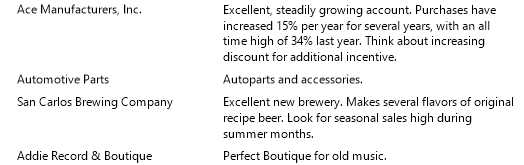
The results when using variable height are:
The results with wrap text are:
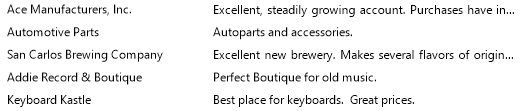
The dots at the end of the 1st and 3rd customer are created by turning on the option add ellipsis to clipped objects.
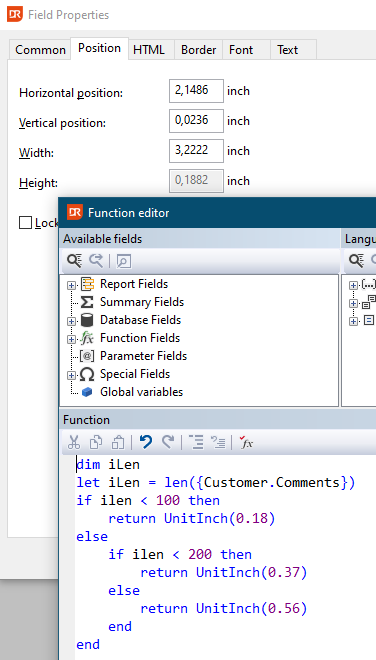
The height of the object can be controlled with a function on the height attribute of the comments object.
This setting results in:
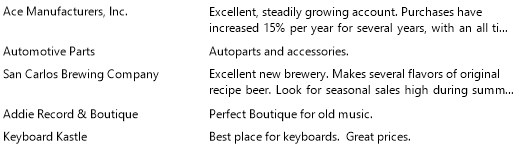
A combination of variable height and fixed height.