Page Layer Expert
The page layer expert can be opened from the Report pull-down or via the page layer expert button in the tool-bar. For a report containing one or more pagelayers, the dialog that opens looks like:
| 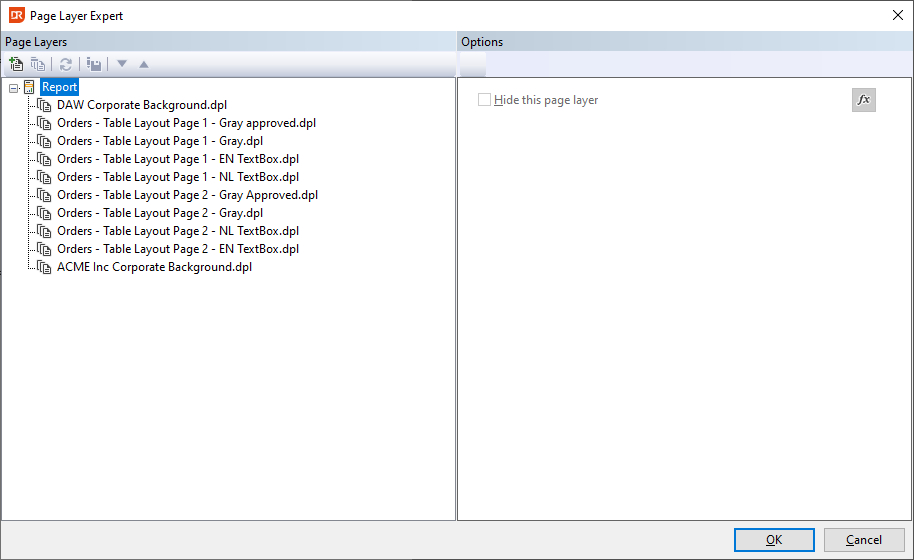 | The buttons in the tool-bar can be used to: - Add an existing pagelayer definition to the report - Remove the pagelayer definition stored in the report - Refresh the pagelayer definition - Export the pagelayer definition to disk - Change the execution order of the pagelayers Each selected pagelayer can be unconditionally disabled via the checkbox or conditionally via a function. New pagelayers are defined via the File | New | Pagelayer menu item. |
| --- | --- |
| The buttons in the tool-bar can be used to: - Add an existing pagelayer definition to the report - Remove the pagelayer definition stored in the report - Refresh the pagelayer definition - Export the pagelayer definition to disk - Change the execution order of the pagelayers Each selected pagelayer can be unconditionally disabled via the checkbox or conditionally via a function. New pagelayers are defined via the File | New | Pagelayer menu item. |
| --- | --- |
Notes
- While you can add a pagelayer to a sub-report, it cannot be used and should be avoided.