Change width
Question
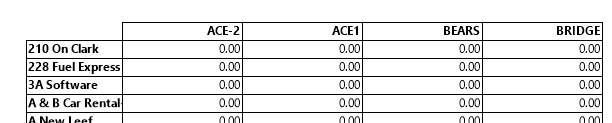
After creating a crosstab, the width of the text (the label) for each row is pretty large, like:

How do I make this label less wide?
Answer
The width and many other properties of the label can be changed via the format field dialog that can be opened by clicking the prompt button in the "Display Row" input control on the "Data" tab-page of the crosstab properties.

If the width is changed to 1 inch, the output will be:
Notes
- The same can be done for the width of the column.