OrderswithPagelayersReport
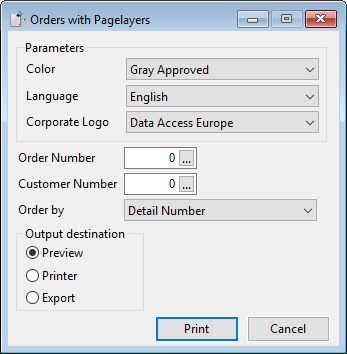
This report view allows the user to decide whether the report should use a stationary page layer (Corporate Logo combo form), if it should have a gray approved stamp over the order detail lines (Color combo form), and which language (English or Dutch) should be used for the labels (Language combo form). The language choice is also utilized to set the property of the report. Users can select a specific order to print, all orders of a specific customer, or simply print all orders for all customers. Additionally, users can determine the ordering applied to the order detail lines of the report. The report utilizes the codemast.dll with the CodeDescription ELF function. To locate the correct codemast data file, the SetParameters method attempts to find the location and assigns the value to a report parameter. The color combo form choice will be disabled when no stationary is selected. The language choice must remain active as it is a page layer part of the data.