Inventory
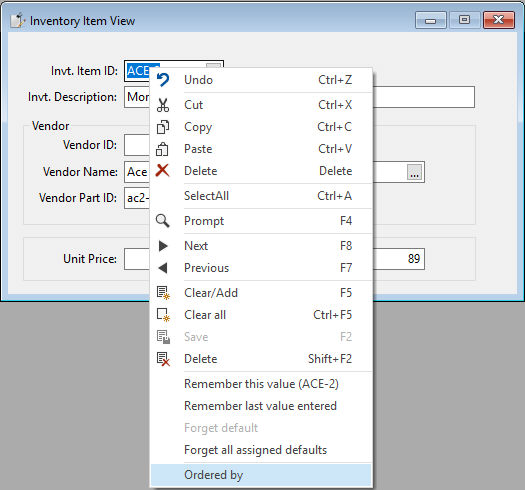
The report object in this data entry view can be used via the floating menu object defined for the inventory item ID DEO when an inventory record has been found. The report object itself demonstrates the use of OnReportPreviewClick to open the customer entry view and find the customer clicked. The code to find a customer did not require a code change in the customer data entry view. The data filtering is done by changing the psFilterValue property of the first filter. The code assumes there is a record filter. The inventory item ID value is stored in a report parameter so that it can be used by a function in the report.