Runtime Data Source
The Runtime Data Source (RDS) allows for the creation of virtual tables and populating these tables with sample data to aid in the report design process.
For each RDS table added to the report, a popup dialog opens where the table definition can be entered. Just like ordinary tables, the name, type, andâ€â€if requiredâ€â€the length and precision of the columns can be specified.
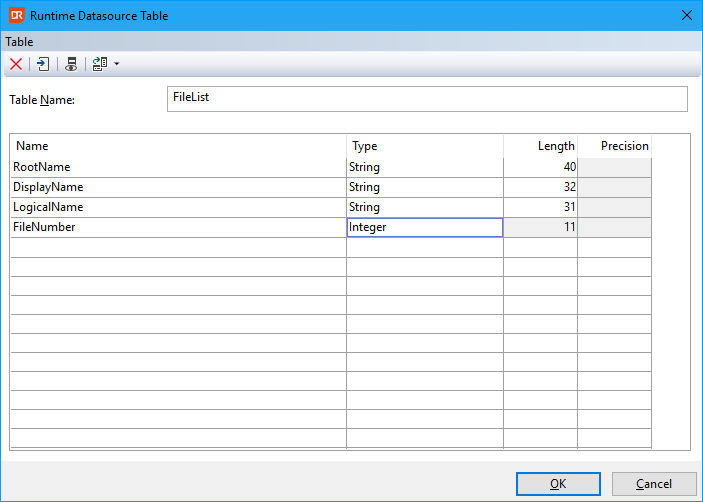
RDS tables can be linked just like any other data source.
Instead of retrieving data from a physical database, RDS tables obtain data from an array that must be supplied via report integration. The array needs to be populated by the programmer who integrates the report with their application. The Runtime Data Source adds extra power to DataFlex Reports, as the programmer can source data from any data source, including virtual data sources. The above screenshot shows the definition of a table named Filelist, with the intention of obtaining its data from a DataFlex filelist.cfg. Test data can be supplied via the option 'Enter RDS sample data' or 'Prompt for RDS Sample Data'.
After the table layout has been set up, columns can be placed on the report layout.