CustomerVendorRelationshipReport
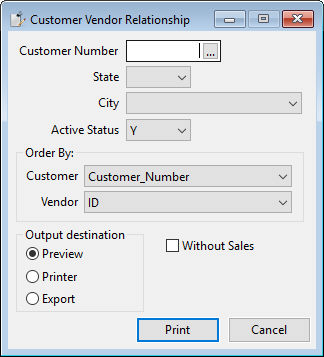
The user can select a specific customer by entering the customer number (or selecting a customer from the standard selection list) or can get a range of customers based on either USA state, city, or active/non-active state. Combinations of these filters are possible. Note that more filters lead to fewer results. The user can select from a number of columns of the customer or vendor database tables to control the ordering. Ordering is done by grouping information, which means that not all columns of the tables are good candidates for ordering/grouping. The checkbox "Without Sales" controls whether the Customer Relationship via Groups or the Customer Relationship via SubReport report is used.