maintain_parameters
Field Explorer serves as the central hub for managing parameters, offering the flexibility to set, utilize within functions, and use in report printouts. It's important to note that parameters differ from global variables; while they can be employed in functions and directly featured in the report, their values are not accessible within sub-reports.
A parameter is endowed with a designated data type and size specified during declaration. While the DataFlex Reports designer facilitates adjustments to the data type, it's noteworthy that alterations to the data type from the integration level are not supported.
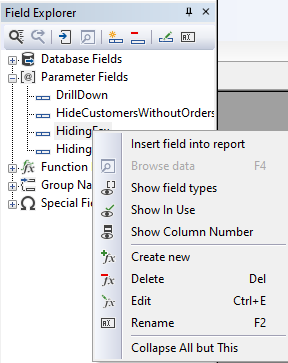
Upon choosing 'Create new' from the floating menu, with the current tree-view item situated on 'Parameter Fields' or an existing parameter, the ensuing dialog prompts parameter definition.
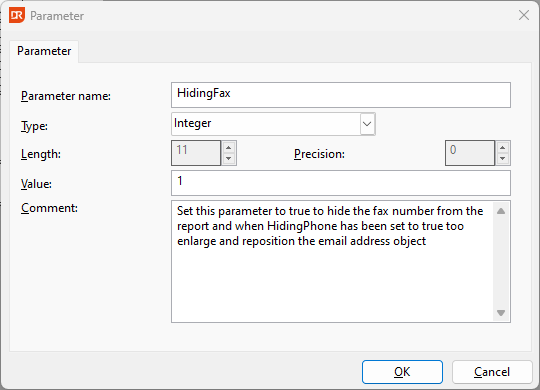
Within the Parameter dialog, you define a name for the parameter and choose its data type. Depending on the data type selected, you may be required to specify length and precision. Subsequently, you input the desired value for utilization in the report.
When generating a report from a stored procedure, the parameter list is automatically populated with the parameters outlined in the data source. It's important to note that modifications to the name, data type, or length of these parameters are restricted—only the parameter values can be adjusted.