InventoryReportView
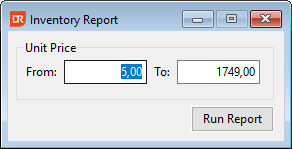
This report view can be used to show the current inventory where the user can enter a unit price range. The report view displays the current lowest and highest unit price. Since there is no index available for these values, the report view reads all inventory records to determine the highest and lowest values. The report view also demonstrates how to use a different previewer than the one available out of the box. Each time the "Run Report" button is clicked, the code dynamically creates an MDI view subclassed from cDRPreview. Each of the dynamically created MDI views contains an object of the cDRReport class, which allows for comparing the results of one query with another. The report object itself illustrates the use of the OnReportPreviewClick event and can open two different data entry views based on clicking a value in the item_id or vendor_part_id column.