Creating an ELF in DataFlex Reports that references the dynamic link library
After finishing creating the DLL, it is time to learn how to use this in a report.
- Copy the DLL to the folder where the OCX of DataFlex Reports is installed.
- Open DataFlex Reports Studio and open a report where the function should be used.
- Add a new function object to the report.
- In the function editor, click on the button to add an external library function.
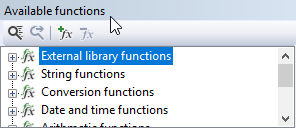 5. In the dialog that opens, enter the name of the function as it should be used in the report.
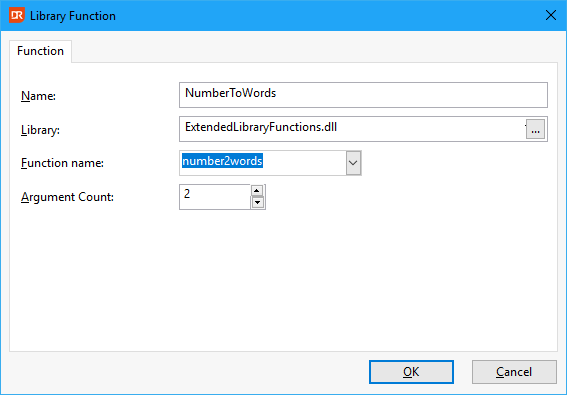
The name does not have to be the same as the function in the library. 6. Select the library you just copied. 7. Select the function to be mapped from the dropdown box. 8. Provide the number of parameters that the function has. 9. Clicking the Ok button adds the function to the available function list under External library functions.