New page after
To place each order from the order entry system on its own page, we need to open the Section Expert. You can find this option in the 'Report' menu.
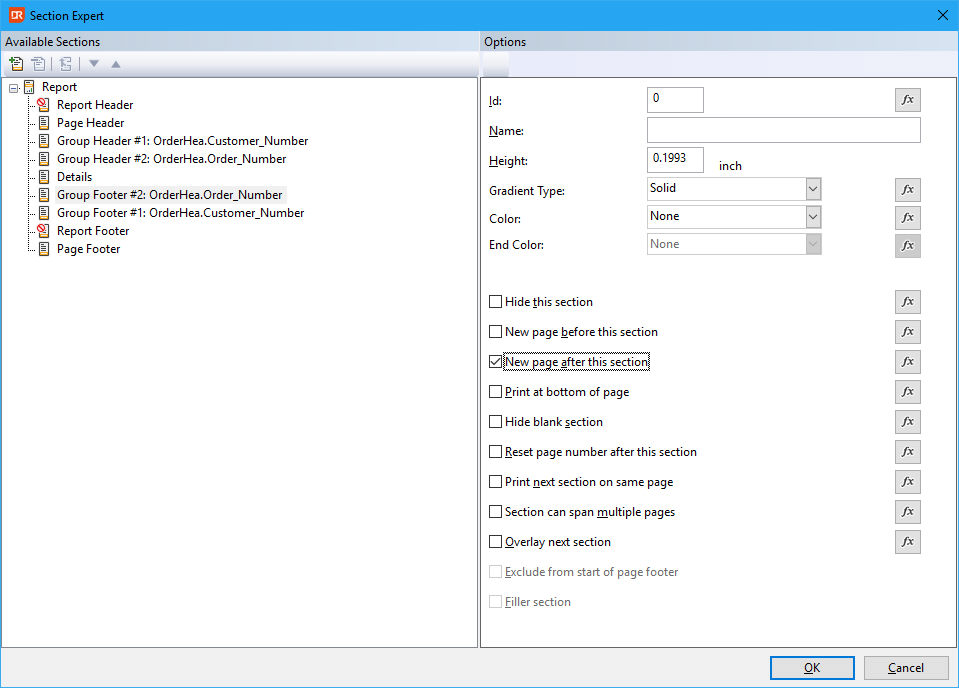
Select the 'Group footer #2' and check the box labeled 'New page after this section'. Click the 'OK' button to save this setting.
The preview now indicates that each order will be printed on a new page.
While the checkbox creates an unconditional new page, the function (by clicking the 'Fx' button) can be used for conditional new pages. For example, this can be used to suppress a new page at the end of the report.
Next step: Preview & Store the report definition