Subreport
A sub-report is a report inside another report. There are specific reasons for constructing reports this way:
- To show information from data that is not related to each other. For instance, this may occur because the data is not related, the data types do not match, or the data resides in separate databases.
- To combine two or more separate reports into one report.
- For showing the same data multiple times in one report, but with different dimensions.
A sub-report can either be linked or not linked to the main report. If the reports are not linked, the information is not related; data from one report does not constrain the data presented in the other report.
It is possible to link reports by using global variables in the filter functions and function fields.
The following example shows a main report with order-header information linked to a sub-report showing order details.
- Create a new report based on the table with order-header data and group the data on order number.
- Create a second Detail section; the report now shows 'Details-A' and 'Details-B'.
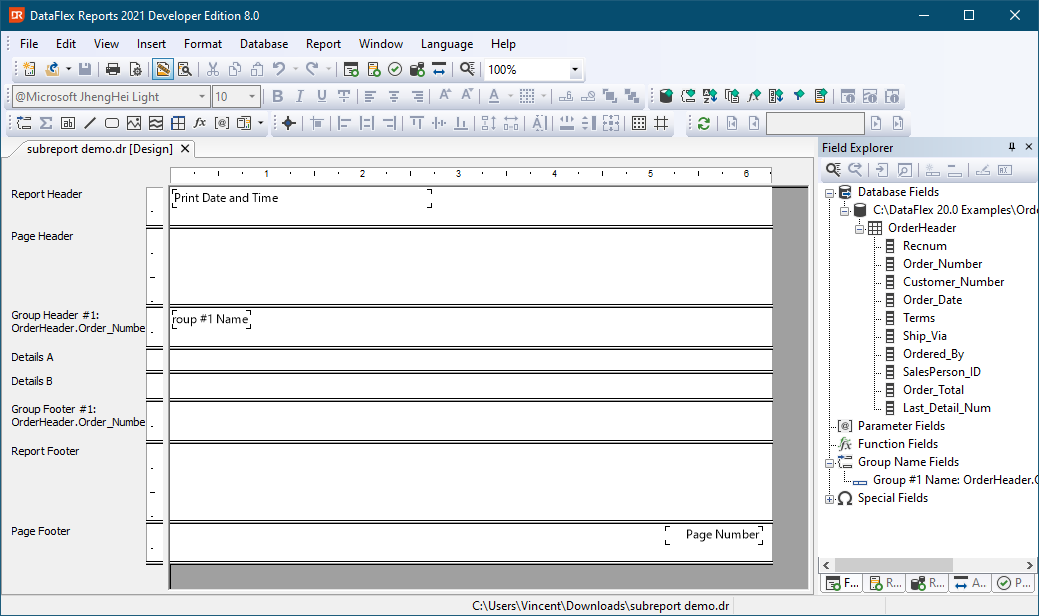
- Add a 'Function field' to the 'Details-A' section.
Use the following information to create a new 'Function field':
dim giOrderNumber as global
let giOrderNumber = {OrderHeader.Order_Number}
return giOrderNumber
The above defines the global variable named 'giOrderNumber' that gets the value of the current order number.
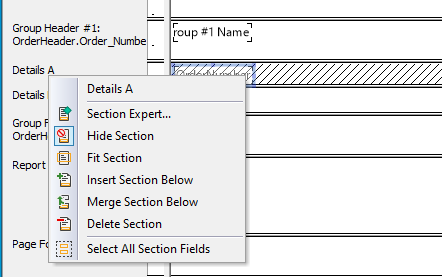
- Hide section 'Details-A'. We do this because the result of the function is not meant to be printed in the report.
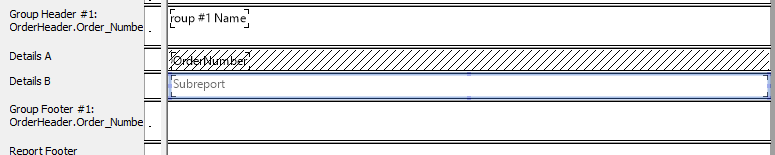
- Add a sub-report by choosing 'Sub-report' from the 'Insert' menu and place it in section 'Details-B'.
- The 'Report Creation Wizard' is activated for creating the sub-report. Select the appropriate order-detail fields (no grouping and filtering).
- Open the sub-report by double-clicking it. Add the following 'Filter Function':
dim giOrderNumber as global

return {OrderDetail.Order_Number} = giOrderNumber
Defining the global variable 'giOrderNumber' is required when All Variables in Functions Must be Declared, because it is already defined in the main report, but it is good to leave it in for documentation purposes. The filter process will now only use those order detail records that belong to the current order record that was set in the main report.
- Open the Preview window to see the results.