Formatting Differences
The currency, number, and date formatting may differ based on where a report is executed. For example, the DataFlex Reports Studio may show:
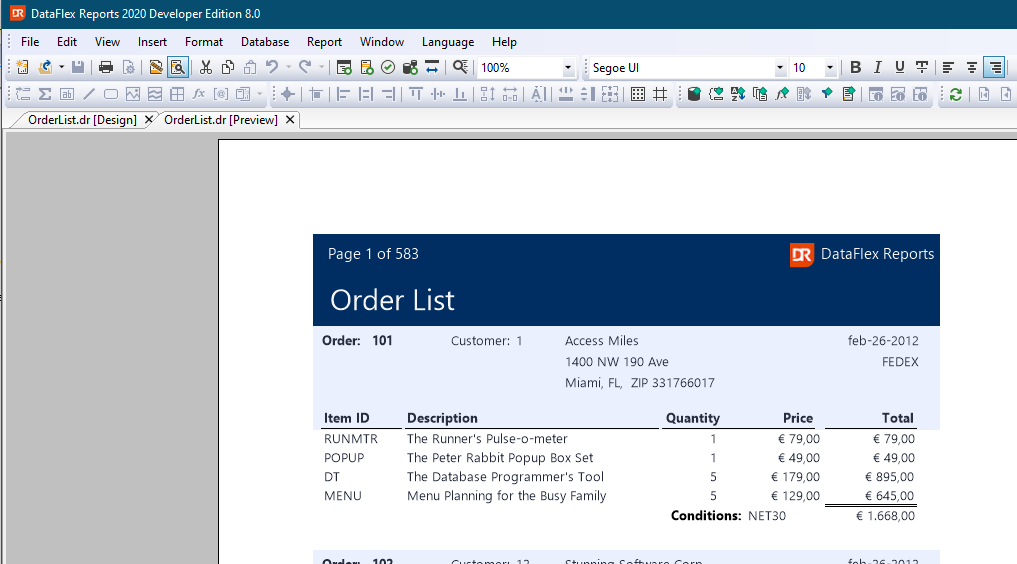
Notice the use of the Euro symbol in the report output. The object formatting in this example report is as follows:
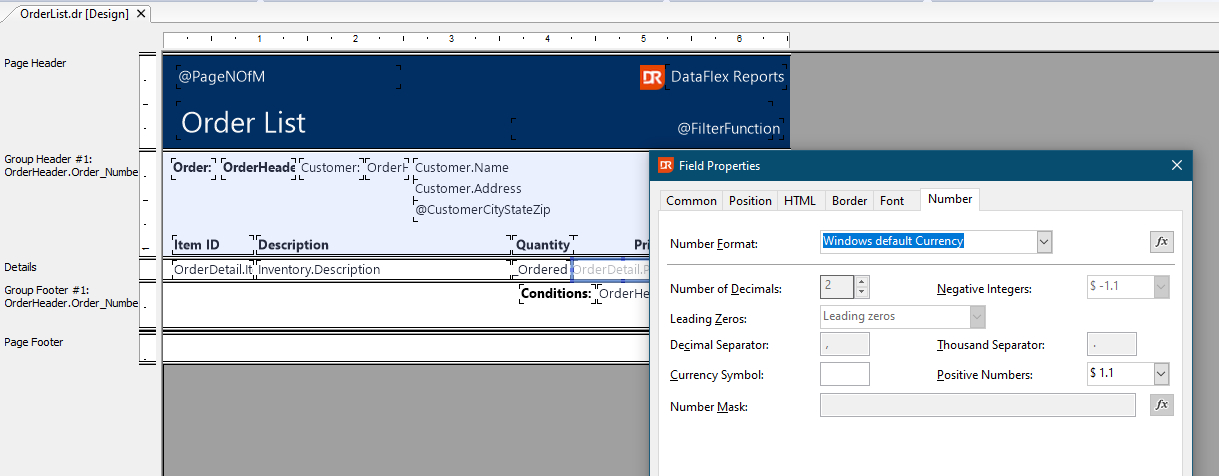
Using the DataFlex Reports Studio, the report utilizes the settings of the currently logged-in user.
Now, when the report runs in the browser, the output may be:
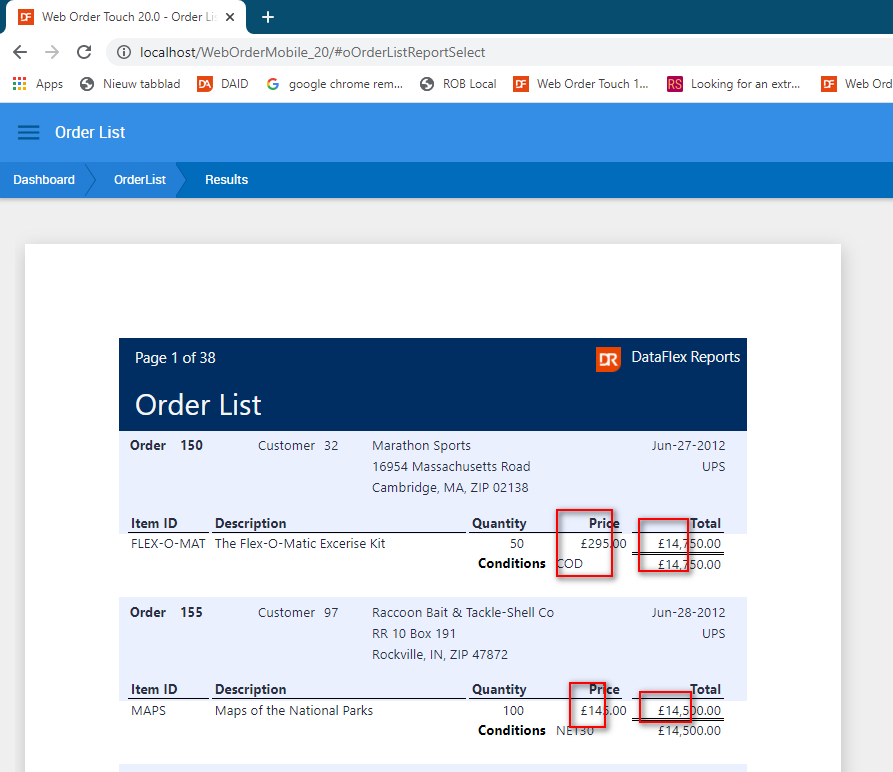
In this case, the report displays the UK currency symbol.
The difference arises because the web application, by default, runs under the Windows system account, and in this scenario, the settings for both 'users' were different.
Read the Report Options topic about how to change the locale settings.