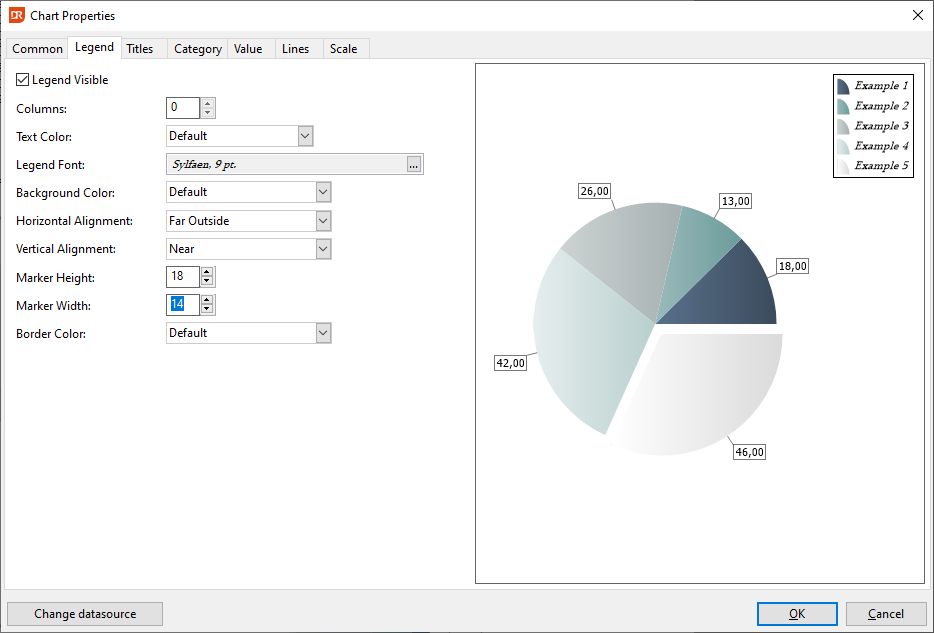
Chart Properties - Legend Tab
To incorporate a legend into your chart, navigate to the 'Legend' tab and check the 'Legend Visible' box. Adjust the font of the legend text by selecting the button adjacent to the 'Legend Font' box.
- Legend Placement:
- The positioning of the legend box is determined by the selections made in the Horizontal and Vertical drop-down menus.
- The reference point for positioning is the top-left corner of the chart.
-
Options range from 'Near', which situates the legend closest to this reference point (either left or top), to 'Far Outside', placing it at the farthest distance from the reference point (either right or bottom).
-
Marker Dimensions:
-
'Marker Height' and 'Marker Width' settings determine the dimensions of the icon located to the left of each legend text entry.
-
Color Defaults:
- If colors are set to 'Default' within this tab, the chart will utilize the colors specified in the currently active Appearance scheme.