Chart Properties - Titles Tab
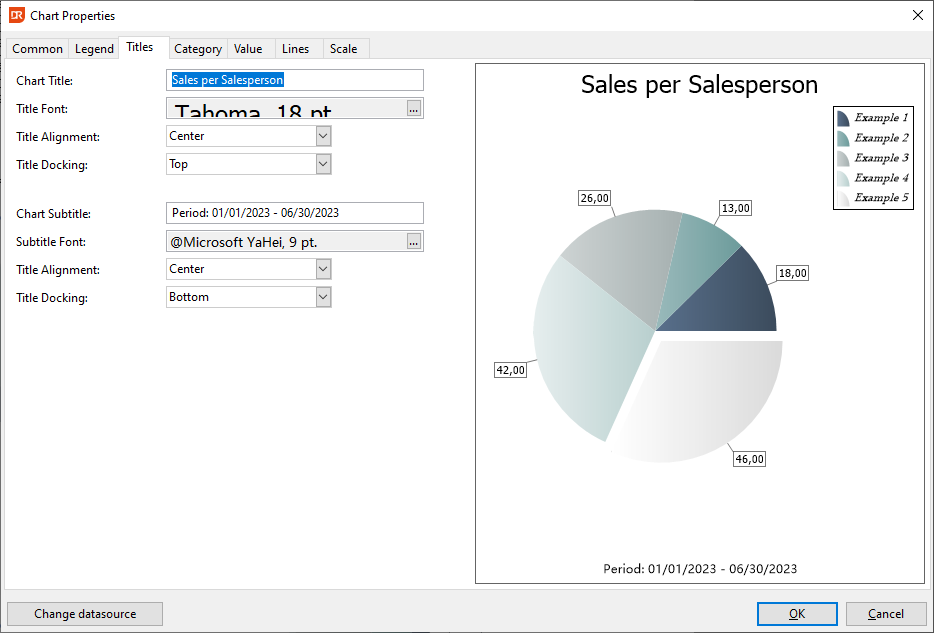
Within the 'Titles' tab page, users have the ability to add additional textual content to accompany the chart, specifically a main title and a subtitle.
- Title Alignment:
- The alignment of these titles corresponds to the reading direction.
-
'Near' aligns the title to the left, while 'Far' positions it to the right.
-
Docking Positions:
- Titles can be anchored to the 'Top', 'Bottom', 'Left', or 'Right' of the chart.
- For 'Top' and 'Bottom' alignments, the reading direction progresses from left to right.
- When docked on the 'Left', the direction is from bottom to top.
- Conversely, on the 'Right' side, it reads from top to bottom.