ReportInfo
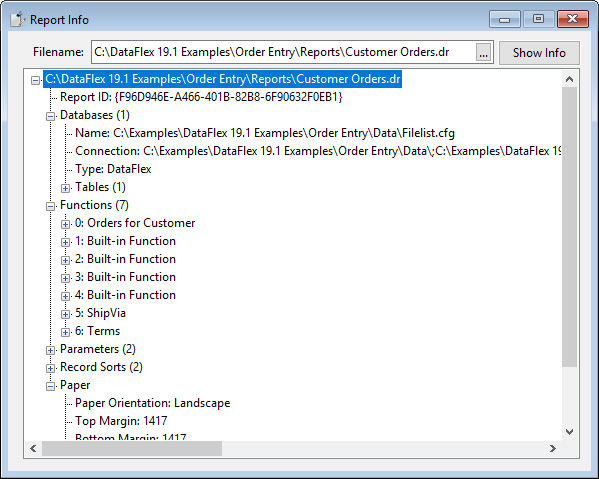
This report view shows information read from a selected report definition file. To obtain the information, the user selects any v5+ report via a Windows common file dialog and clicks the "Show Info" button. The first value displayed is a GUID, which is the report ID. The next node indicates the databases; currently, a maximum of one database per report is allowed. There can be 0-N tables, stored procedure results, or views used. The following node presents the functions defined in the report, which can be user-defined functions or function codes to control states like bold text or suppressing values. The next node shows the parameters defined in the report (if any). The subsequent node displays the selections defined in the report (if any). The next node outlines the record sorts defined in the report (if any). The following node lists the sub-reports defined in the report (if any). Finally, the selected paper format is added to the treeview.