Suppress zero
Question
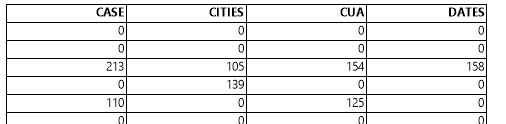
In a created crosstab, I see many cells with a zero (0.00) value in there. This makes it sometimes harder to detect the values that are not zero. Is there a way to suppress the zero value?
Answer
The zero value can be suppressed via the format field dialog that can be opened by clicking the prompt button on the "Summary field" input box of the Data tab-page of the Crosstab properties dialog. Go to the number tab-page and either set the suppress if zero unconditional or set it conditional via a function.

Notes
- While the suppress if zero can be set via a function, the function will be executed only once for the whole crosstab and not on a cell-by-cell basis.