Report Options - Options Tab - Add Ellipsis to Clipped Fields
Turning on this option adds three dots at the right-hand side of the data if the object is not wide enough to show all the data. It is a global feature for all objects in the report and can be a visual helper in detecting which objects are too small.
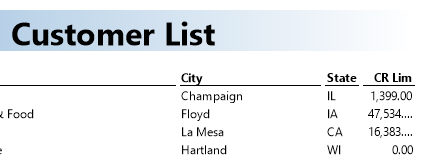
The above screenshot shows that the credit limit for the 2nd and 3rd row is too wide to display and is therefore shown with ellipsis.