Field Explorer - Group Name Fields
This part of the field explorer contains sub-nodes when the report contains groups.
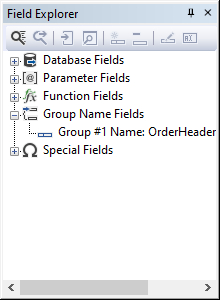
A group name field can be inserted in the report via drag-and-drop, choosing the 'insert field into report' from the floating menu or the 'insert field into report'  button in the field explorer's toolbar.
Editing
A group name field can be edited via the 'Edit' floating menu option or by clicking the 'Edit'  button in the field explorer's toolbar. This option opens the group properties dialog.
Deleting
A group name field placed in the report layout can be deleted from the layout, but it cannot be deleted from the structure and will therefore always be shown in the field explorer.