Group properties
The following dialog is shown after clicking the 'properties' button for a selected group in the group expert or clicking the 'Edit' button in the Field Explorer tool-bar while a group name field is selected.
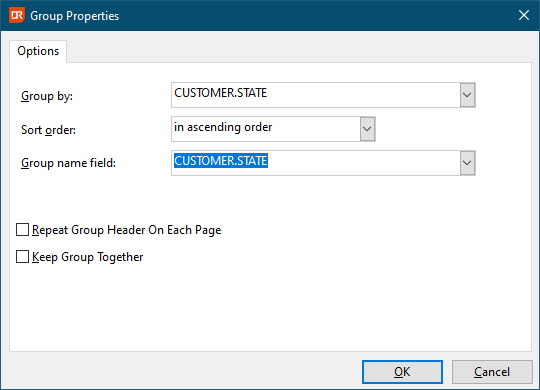
The combo box 'Sort order' is for setting the sort order to ascending or descending.
The default value of the 'Group Name field' is the same as the value of the field on which grouping takes place; it can be set to any other field by selecting that field in the corresponding combo box. This value is also used in the Preview Explorer and the Group Tree at integration level.
By checking the checkbox 'Repeat Group Header On Each Page', the 'Group Header' section is repeated on each page of the report.
By checking the checkbox 'Keep Group Together', group sections will be automatically started at a new page when the whole group cannot be printed on the remainder of the page.