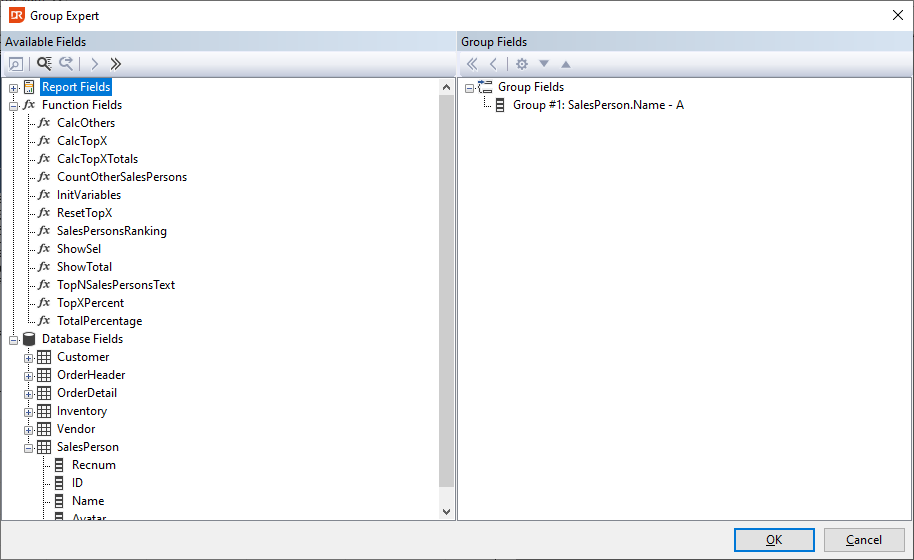
Group Expert
The group expert is a modal dialog that shows the groups defined in the report on the right-hand side of the panel and the available report, function, and database fields on the left-hand side.
In order to make complex reports more readable, the information can be split into groups. By adding a new Group to the report, two extra sections are added to the report: a ‘Group Header’ and a ‘Group Footer’.
For each group, a ‘Group Name Field’ is created. The ‘Group Name Field’ has by default the same value as the field upon which the grouping takes place, for instance, customer number. However, it is also possible to assign another value to it, such as the customer name or the result of a function.
Grouping can be based on a report field, database field, or a function.
Adding a group starts with selecting a field in the available fields tree view. The tree view shows three top levels:
- ‘Report fields’ showing the database fields that are used in the report;
- ‘Function Fields’ showing the function fields defined in the report;
- ‘Database fields’ showing all tables and fields.
Searching, selecting, and configuring can be done via the toolbar.