8. Define data filters
The interface for selecting or removing fields is quite similar to the previous dialogs. In order to filter on a field, select the field in the right column.
Selecting the field in the rightmost box will enable the operator and value dropdown box.
Clicking the drop-down arrow of the value dropdown box shows a sample set of data from the data source. This is the same as the 'browse data' button underneath the 'Available Fields' list would produce. The difference is that a value can be picked from the list.
A more complete description of applying filtering criteria can be found in the section Filter function.
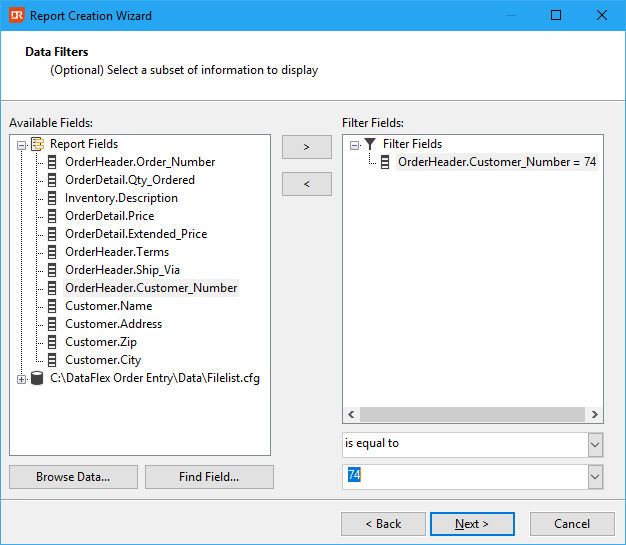
Select the field 'OrderHeader.Customer_Number' and pick 'is equal to' from the operator dropdown box. Enter a selection value (the screenshot shows '74') in the Value box. Click on 'Next' for the next wizard page.
Next step: