Select Report
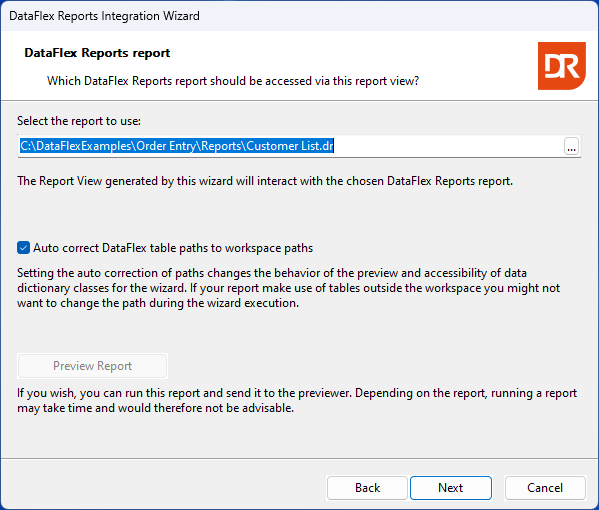
On this page, you can input the name (including the path) of an existing report file, or use the prompt button to conveniently select an existing report. While the wizard primarily scans the "Reports" folder, the browse button allows you to choose a report from an alternative directory. It's important to note that opting for a report from a different folder can impact the wizard's functionality and the integration library. Specifically, the use of the selection list won't be available for reports sourced from a folder outside the workspace.
For reports based on tables from the DataFlex embedded database, the paths to the database or individual tables can be automatically adjusted to conform to the workspace paths. To enable this automatic correction, check the box labeled "Auto correct DataFlex table paths to workspace paths." However, exercise caution and refrain from selecting this option if the report contains tables not present in the workspace without developer coding. In such cases, manual code may be necessary to establish a connection between the report and the data. It's essential to note that if the data is retrieved from an ODBC or RDS datasource, this option becomes irrelevant.
The preview button serves as a tool to preview the report and confirm whether the correct report has been selected. Running a report without specific selection criteria might be time-consuming, so it is advisable not to choose the preview option indiscriminately.
Ensure that the report definition adheres to version 5 or higher but does not exceed the current version of DataFlex Reports in use.
The next step is the optional selection of fields for building filters.