Format Menu - Size - Size to Font
This option can be used to resize the object to the height and width returned by the font of the object and the amount of data the object presents. If the object is a text box, the size needed to display the text is used. If the object is connected to a database table column, the average width and height of a character multiplied by the number of characters defined in the database is used for the size.
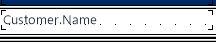
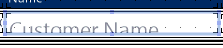
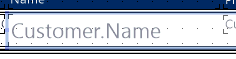
This feature is useful to adjust the object's rectangle to hold the text after a font change (typeface or size). The following table shows that if the object rectangle remains the same, the text will not be fully printed.
| Before Font Change | After Font Change | After Size to Font |
|---|---|---|
 |
 |
 |
Notes
- Size to Font does not only change the height; width is changed as well and might be much bigger than desired.
Change the width back via field properties, dragging the object rectangle, or by making it the same as a different object with the desired width.