Selected Database and Tables
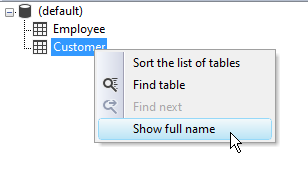
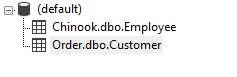
Right-click and choose Show full name from the context menu to display the full table name, including database and schema.
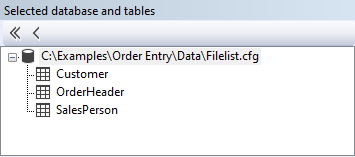
This part of the Database Expert dialog shows the database and tables in use for the report. You can remove one or more tables.
To remove one table, select a table in the treeview and click the button with the single arrow pointing to the left.
After selecting the database (root) item, all tables can be removed at once by clicking the button with the double arrows pointing left.
A confirmation question about deleting the table is shown when removing table(s) from the report that are used. All objects using the to-be-deleted table will be removed from the report. Use the function expert to check all functions in the report and change the references to the table(s) removed from the report; the Studio does not remove the references from the functions.