Insert Summary
Summary fields can be used to show the result of a summary operation. Summaries can be added at several places, such as during the report creation wizard or later via the Insert pull-down.
When "Insert Summary" is chosen, the following dialog pops up.
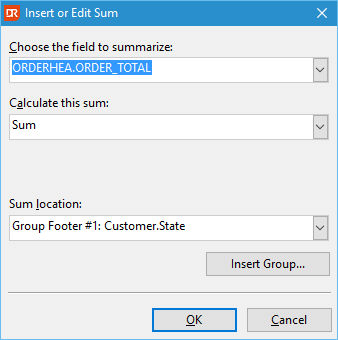
The first combo-box shows the available fields that can be used for a summary operation. Available fields are database fields and some functions.
Via the second combo-box, one can choose the summary operation. Depending on the data type of the summary field, some summary functions will not be available. For example, one cannot create a SUM based on string fields or functions returning text.
Via the last combo-box, one chooses where the summary field needs to be placed. Options are group footers and report footers. The sum location can always be changed afterward; for example, it is possible to drag the summary field from the grand total to the page footer, thus creating a total so far.
The button "Insert Group" can be used to create a group first and place the summary field in the group footer of this newly created group.
The combo "Calculate this sum" contains the available summary operations for the selected field.