Insert Group
A 'Group' is used to divide data into specific sections and for sorting.
For example, you can group all orders per customer or group all customers per state. Creation of groups can be done inside the new report wizard as well as via the Group option on the Insert pull-down.
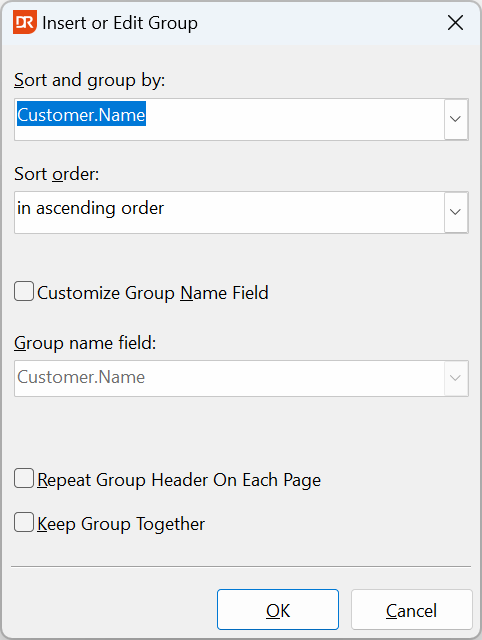
The first combo box is used to select the field on which the grouping takes place. The second combo box defines the sorting order (ascending or descending).
The 'Group Name Field' has, by default, the same value as the field upon which the grouping takes place. Suppose that the group is on customer number, but the 'Group Name Field' needs to be the customer name; then this can be changed by checking the checkbox 'Customize Group Name Field' to change it to the appropriate field.
By checking the checkbox 'Repeat Group Header On Each Page', the section with the header details is repeated on each page.
By checking the checkbox 'Keep Group Together', group sections will automatically start on a new page when the whole group cannot be printed on the remainder of the page.