Field Properties - HTML Tab - HTML Code
The editor on this page can be used to enter static HTML code to be inserted in the DIV element created to represent the content of a database column, function, or static text.
If one enters the following information:
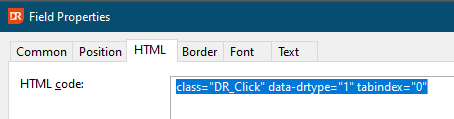
this results in:
The HTML code can also be provided by using a function. The function button on the right can be used to supply dynamic HTML data instead of static and may contain references to other functions, database columns, etc.
The following is an example of opening an external URL from the HTML Report viewer:
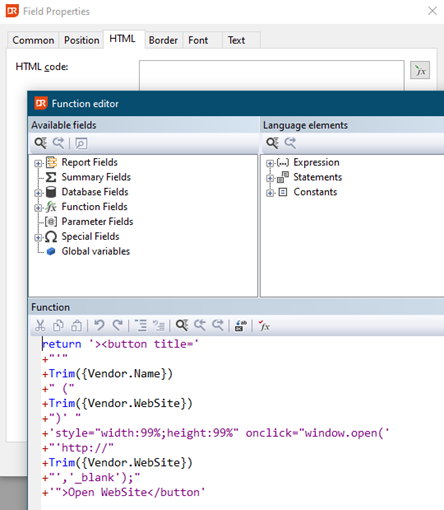
The above code results in:
Notes
- The HTML code replaces the Hyperlink ID option from version 7 and older, and on report update, the old hyperlink ID reference will be converted into static HTML to keep the same functionality present.