Product_Registration
In order to use DataFlex Reports for longer than 60 days, the standard evaluation period, you need to purchase a license and register the product.
You can register the DataFlex Reports product from within the product itself. Go to the 'Help' pull-down and select “Register DataFlex Reports”. The following dialog pops up.
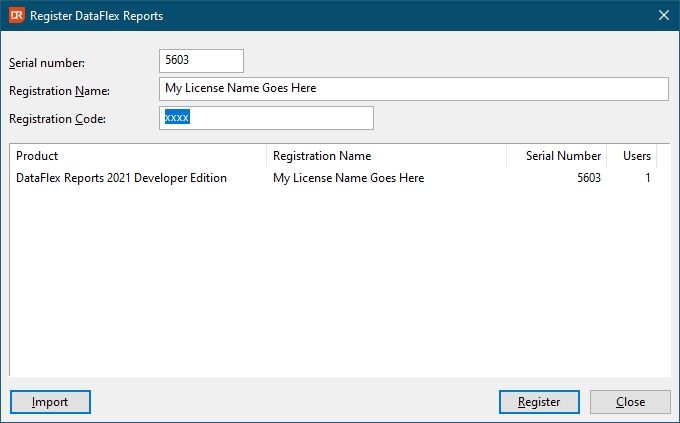
In the top half of the dialog, enter your serial number, your registration name, and code. Then click the 'Register' button. If all the entered information is correct, your license will be registered. You will no longer receive a message about the number of days left in the evaluation when DataFlex Reports starts up.
If the registration was successful, DataFlex Reports will ask if you want to activate the product now.
The "import" button allows you to read the license information from an INI file.