Labels, Alignment and Anchors
If there are input controls to be generated, the wizard shows a labels and alignments page.
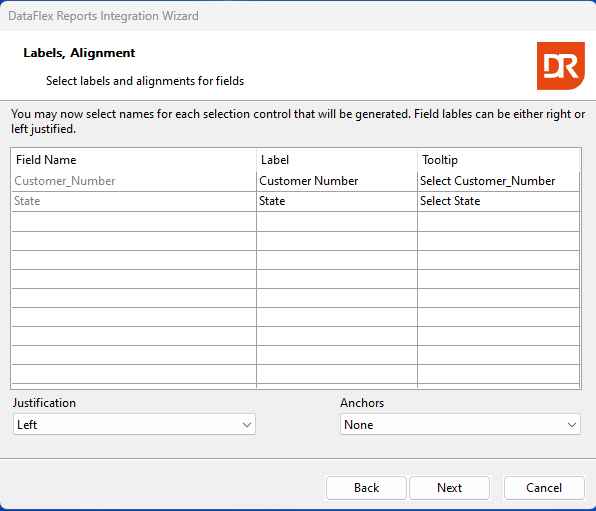
On this page, the generated label(s) and tooltip values for the input control(s) can be changed.
Use the 'justification' drop-down to indicate if the labels should be aligned left, right, or above the control.
Use the 'anchors' drop-down to indicate what should happen with the control when the container resizes.
When there are input controls to be generated for selection criteria, the next step is the filter operator.