Hide the report header and footer
In the 'Section Expert', sections can be hidden so that they do not get printed. Hiding can be done always or conditionally based on the results of a function. Hover the mouse cursor over the label of the 'Report Header' in the left part of the section and click the right mouse button. A context menu shows the option to hide the section.
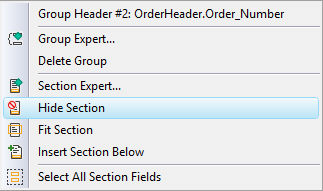
The visual designer will now show the hidden section in a grey, shaded, slashed area. The same action can be repeated to hide the section of the 'Report Footer'.

Previous step: Creating a new report using the Report Creation Wizard
Next step: Moving and resizing of fields and objects