Data Source Selection
All databases for which an ODBC driver is available can be used as a data source for DataFlex Reports. ODBC (short for Open DataBase Connectivity) is a universal way to access various databases. To access a database via ODBC, the appropriate driver must be installed.
The wizard for selecting an ODBC data source provides three methods for selection.
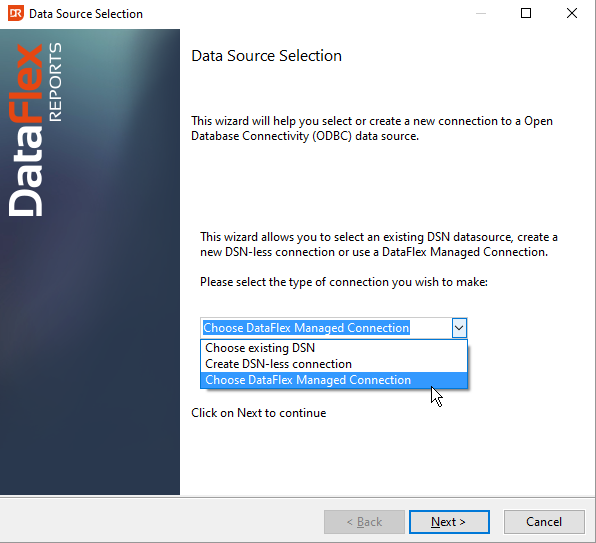
Choose Existing DSN
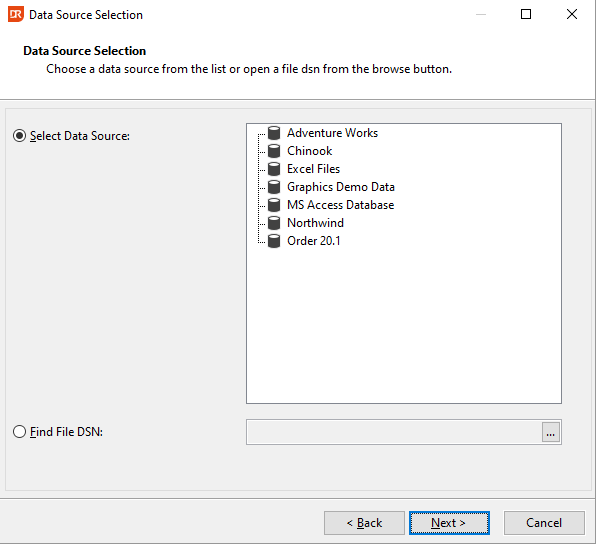
The dialog displays the user and system DSN entries on the current computer. A DSN (short for Data Source Name) is a set of details (parameters) necessary for an ODBC driver to access a specific database. There are three types of DSNs:
| Type | Description |
|---|---|
| User | The user DSN is stored in the Windows registry and is only accessible for a specific user. |
| System | The system DSN is stored in the Windows registry and is available for all users on the computer. |
| File | Details are not stored in the registry but in a separate file on disk. The default location is your documents folder. Ensure that you select a folder accessible for all users. |
DSN Not Listed
If no DSN is available for a certain data source, it can be defined using the ODBC Data Source Administrator. Refer to the documentation of your Windows operating system for more information. On 64-bit OS versions, use the 32-bit ODBC Manager.
Choose DSN-Less Connection
Instead of using a user, system, or file DSN, you can utilize a connection string. Setting up a connection string is more complex than choosing a DSN, as the contents vary from database driver to database driver.
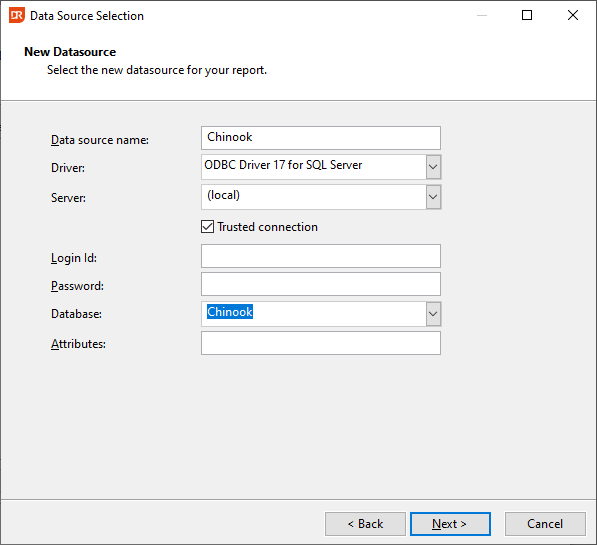
Examples of connection strings:
DRIVER=ODBC Driver 17 for SQL Server;SERVER=SQLExpress;DATABASE=Chinook;UID=myUser;PWD=mySecretPassword;APP=DataFlex Reports Developer Edition;
DRIVER=ODBC Driver 17 for SQL Server;SERVER=SQLExpress;DATABASE=Chinook;UID=myUser;Trusted_Connection=yes;APP=DataFlex Reports Developer Edition;WSID=mySQLServer;
Refer to the documentation for your environment or consult the ODBC Data Source manager to determine the correct syntax.
Choose DataFlex Managed Connection
This option allows you to select a DFCONNID.INI file using the browse button on the right side of the input control. After selecting the file, available connection IDs in that file will be displayed in the tree view below the file selector.
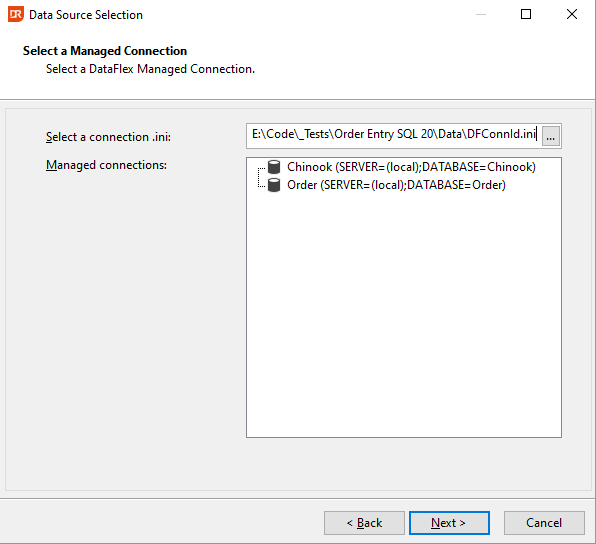
If the connection ID can be used to log in to the server and database, you can proceed with selecting a table, view, or stored procedure.