Data
This tab-page shows a tree with the used report fields, all available tables, columns, and functions. Within limitations, all these fields can be used for the column, row, or summary field of a crosstab object. The current choice for column, row, and summary value is displayed on the right-hand side of the tab-page, and the bottom part of the tab-page shows an example of the crosstab based on metadata. Options that can be set for columns, rows, and totaling values are visible in the example.
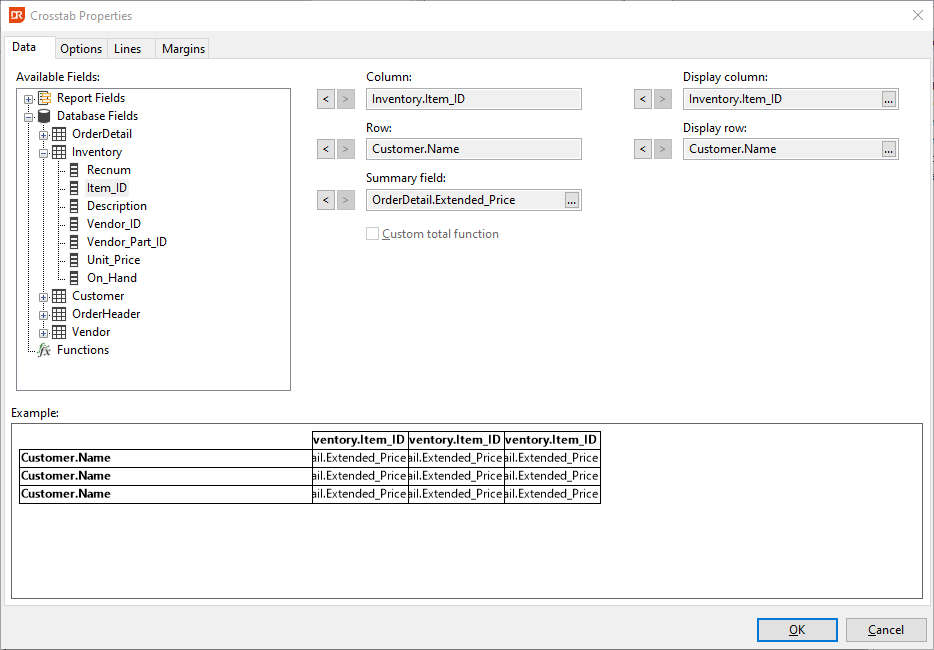
Where the new crosstab wizard lets you select what field to be used for the column, row, and summary operation, the data tab-page also allows selection of a different table column or function to display on top of the column or left of the rows. This means that the value for grouping and sorting comes from "column," and a different column or function can be used for the label. By default, the values will be the same as the chosen field. Change the field to be used by first clicking the remove button next to the field to be replaced, selecting a different field, and clicking the add button again.
The prompt button in the display column, row, and summary field input boxes can be clicked to set/change options for the column, row, or summary field. The prompt button opens the format field dialog. Options that can be changed are: width and height of a column, row, suppress if zero, color of the cell, text orientation of the label, font for a label, lines around the cell, horizontal and vertical alignment, and number formatting.
When the summary field is not a database field but a function, it is possible to select the checkbox "custom total function," which means that the totaling operation can be tweaked. For example, the standard drSum operation can be changed into a drAverage operation. The summary field Orderdtl.Extended_Price could be replaced by a function containing:
Return Sum(drSum,drCrosstab,{Orderdtl.Extended_Price})
And if instead of the sum operation the average should be used, the function contents can be changed to:
Return Sum(drAverage,drCrosstab,{Orderdtl.Extended_Price})