cDRDesktopPreview Class
This class is the default class used to create objects when the preview style (pePreviewStyle) is set to C_DRPREVIEW_DESKTOPVIEW in a cDRReport object.
This preview method is a solution when the preview output should be shown on the screen without being modal and not bound to the size of the MDI container. It allows switching between your application and the output window using Alt-Tab. Each instance of this class creates an icon in the Windows taskbar.
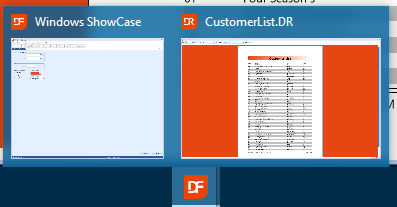
The class reference is stored in the phcPreviewer property of the cDRReport object if the pePreviewStyle is set to C_DRPREVIEW_DESKTOPVIEW. The setting occurs in the SetDefaultPreviewerClass method.
An object of this class uses an icon that is loaded from a filename DR.ico. The file is defined in the library and should either be copied to the workspace (bitmaps folder) or linked as an embedded icon via the project properties, icon tab-page.
The size of an object of this class is automatically set to the size of the main panel minus some space if the main application is maximized.
Child objects
An object of this class defines a preview window object and a command bar object.
The toolbar buttons of the command bar object are all instantiated directly or indirectly from the cDRMenuItem class.
The preview window is an instance of the cDRPreviewWindow class.