OEM to ANSI Conversion Wizard
In DataFlex, OEM tables are only supported for backward compatibility. When migrating to DataFlex 2021 or higher, OEM tables should be converted to ANSI/Unicode tables.
To assist with that, DataFlex includes a conversion wizard in Database Builder: the OEM to ANSI Conversion Wizard. The wizard can be used to convert any SQL table set to store OEM characters. It will detect all OEM tables in a workspace that can subsequently be selected for conversion to ANSI.
Important!
The OEM to ANSI Conversion Wizard will irreversibly change your data. Make sure you have a proper backup of your entire database and all your INT files before running the conversion.
What the Wizard Does
The wizard will perform the following tasks on OEM tables selected for conversion:
- Convert all extended characters (non-ASCII characters) from OEM to ANSI.
- Change the
Table_Character_Formatsetting in the table INT file from OEM to ANSI.
Note that this can be a lengthy process, even when a table contains only ASCII (<128) data and no actual conversion is needed. The wizard will irreversibly change your data, so ensure you have a proper backup of your entire database before running the wizard.
Starting the Wizard
To start the wizard, follow these steps:
- Open Database Builder for the workspace you wish to analyze and convert tables from OEM to ANSI.
- From the Studio, ensure the target workspace is open.
- Select
Tools | Database Builder. - Once in Database Builder, select
Database | OEM to ANSI Conversion Wizard. - The wizard will display its welcome screen.
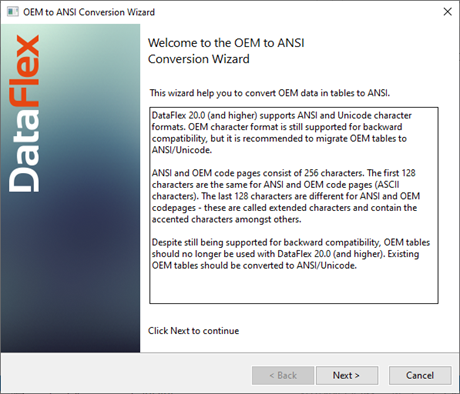
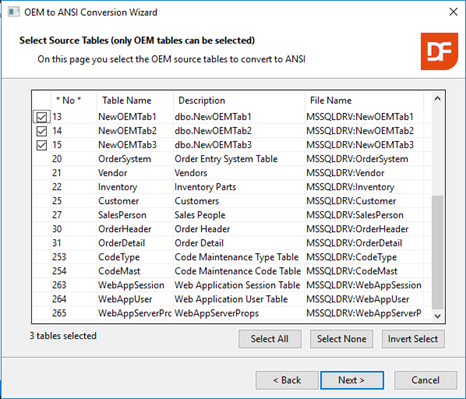
Continue through the wizard and select the tables to be converted from OEM to ANSI. The wizard will handle the rest.
Notice that only OEM tables will be selectable:
After Running the Wizard
At the end of the process, the wizard will display a status screen like the one below:
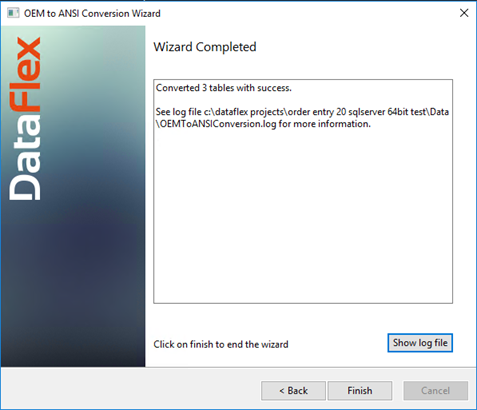
You may review details of the conversion by clicking the Show log file button to open the log file generated by the wizard.
Once the wizard successfully converts the selected tables, make sure to test your application accessing the converted tables.