DateTimeFormat Property
Description
Specifies the format string used for Date and Time values (only used when DateTimeCategory is set to xtpChartDateTimeCustom). This is used when the ArgumentScaleType is set to xtpChartScaleDateTime.
Property Type
Read-write property
Syntax (Visual Basic)
Public Property DateTimeFormat() As String
Return Type
Custom format string used for dates.
Remarks
You can specify your own custom format when DateTimeCategory is set to xtpChartDateTimeCustom.
Here are just a few examples of custom formats:
- Days:
- "d MMM"
- "d MMM, yyyy"
- "MMMM, dd"
-
"MM/dd/yyyy"
-
Months:
- "MMM"
- "MMM, yyyy"
- "MMMM, yyyy"
- "MM/dd/yyyy"
-
"MMMM, yyyy"
-
Years:
- "yyyy"
-
"yy"
-
Time:
- "HH:mm"
- "ddd, HH:mm"
This example shows how to set a custom date format:
Dim Diagram As ChartDiagram2D
Set Diagram = ChartControl.Content.Diagrams(0)
Diagram.AxisX.Label.Format.DateTimeCategory = xtpChartDateTimeCustom
Diagram.AxisX.Label.Format.DateTimeFormat = "MM/dd/yyyy"
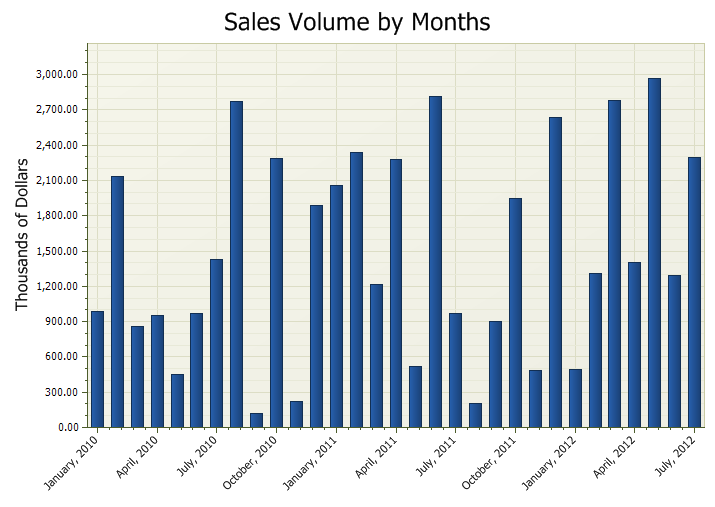
The picture below uses Diagram.AxisX.Label.Format.DateTimeFormat = "MMMM, yyyy" custom format.
See Also
Copyright (c) 1998-2024 Codejock Technologies. All rights reserved.