DateTimeCategory Property
Description
Used to specify how to format the Date and Time values. This is used when the ArgumentScaleType is set to xtpChartScaleDateTime.
Property Type
Read-write property
Syntax (Visual Basic)
Public Property DateTimeCategory() As [ChartDateTimeFormatCategory](XtremeChartControl~Enumerations~ChartDateTimeFormatCategory_EN.md)
Return Type
Returns a value from the ChartDateTimeFormatCategory enumeration that specifies how to format the DateTime value.
Remarks
DateTimeCategory is used to tell the chart how to handle the formatting of DateTime values. The category must be specified so the correct formatting is applied to the value. This is used when the ArgumentScaleType is set to xtpChartScaleDateTime. The formatting can be set to General, Short Date, Long Date, Short Time, Long Time, Month and Day, Month and Year, or Custom. For custom formats, use DateTimeFormat.
Example
This example shows how to set a custom date format:
Dim Diagram As ChartDiagram2D
Set Diagram = ChartControl.Content.Diagrams(0)
Diagram.AxisX.Label.Format.DateTimeCategory = xtpChartDateTimeLongTime
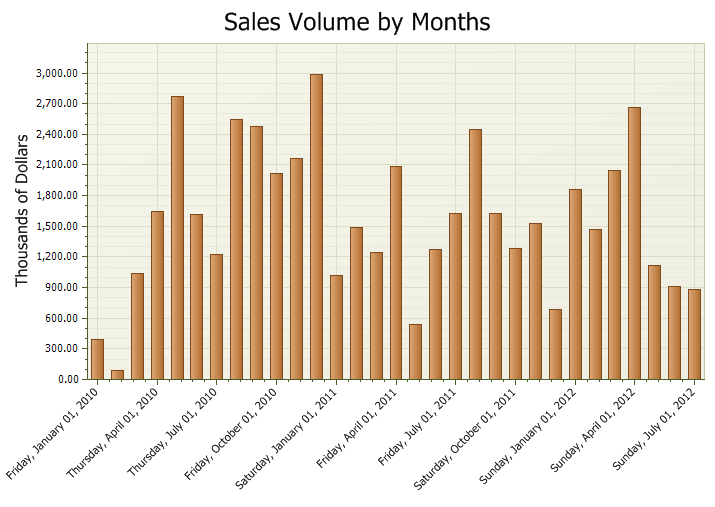
The picture below uses Diagram.AxisX.Label.Format.DateTimeCategory = xtpChartDateTimeLongTime.
See Also
Copyright (c) 1998-2024 Codejock Technologies. All rights reserved.