MainIcon Property
Description
Gets or sets the icon for the Main Instruction area of the task dialog.
Property Type
Read-write property
Syntax (Visual Basic)
Public Property MainIcon() As [TaskDialogIcon](XtremeSuiteControls~Enumerations~TaskDialogIcon_EN.md)
Remarks
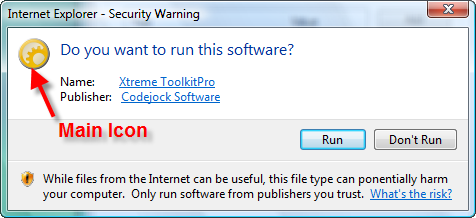
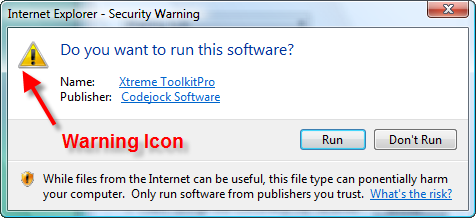
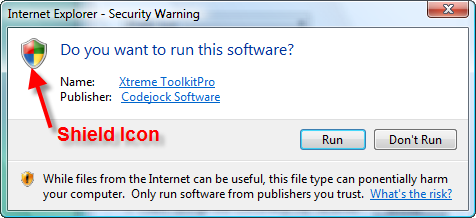
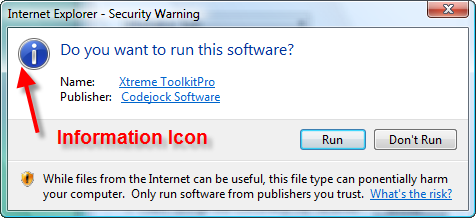
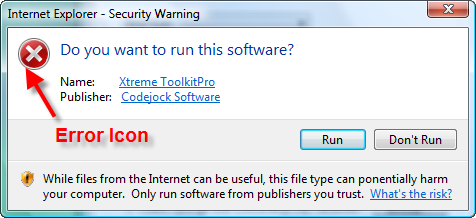
Set MainIcon to any value in the TaskDialogIcon enumeration to display that icon next to the Main Instruction area of the task dialog.
To use a custom icon, MainIcon must be set to xtpTaskIconCustom and the MainIconHandle property must contain a handle to an icon that is to be displayed in the task dialog Main Instruction area. If MainIconHandle is NULL and MainIcon is set to xtpTaskIconCustom, no icon will be displayed.
The illustrations below show the icons available to use in the dialog. The Codejock icon is a custom icon:
See Also
- TaskDialog Control
- MainIconHandle Property
- TaskDialogIcon Enumeration
- FooterIcon Property
- FooterIconHandle Property
Copyright (c) 1998-2024 Codejock Technologies. All rights reserved.