TrackMarker Object
Description
Track Marker
For a list of all members defined in this module, see TrackMarker Members.
Remarks
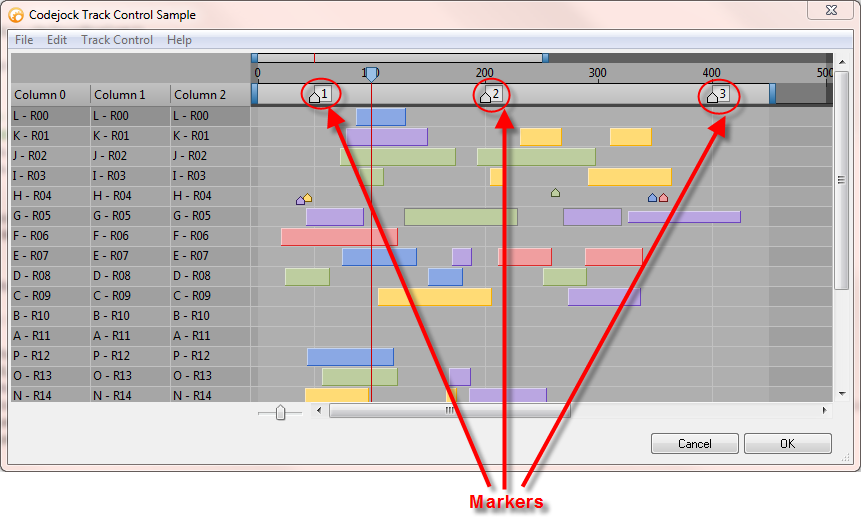
Markers are used for block alignment; blocks can be "snapped" to the left or right of these markers.
Dim Marker As TrackMarker
Set Marker = TrackControl.Markers.Add(20, "0")
Marker.Caption = "1"
TrackControl.Markers.Add 70, "2"
TrackControl.Markers.Add 90, "3"
The code above adds 3 markers to the track control. These markers are placed in the timeline at the specified time unit, in this case, at 20, 70, and 90 units of time. Markers can be moved by the user by simply dragging the marker to a new location on the timeline.
See Also
Copyright (c) 1998-2024 Codejock Technologies. All rights reserved.