DockingPaneKeyboardNavigate Enumeration
Description
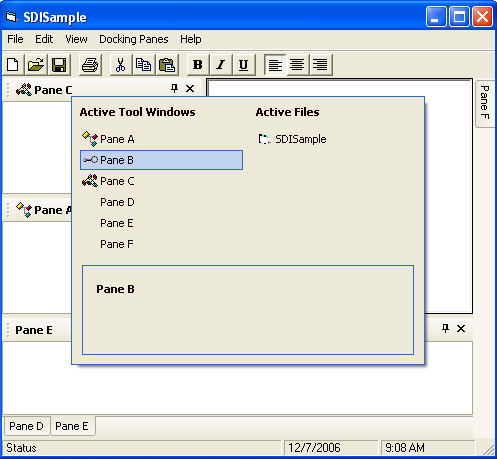
Specifies the keyboard keys that can be used to navigate the docking panes.
Members
| Member | Description |
|---|---|
| PaneKeyboardUnused | Panes cannot be navigated using the keyboard. |
| PaneKeyboardUseAltMinus | Panes can be navigated using the Alt+Minus keys on the keyboard. |
| PaneKeyboardUseAltF6 | Panes can be navigated using the Alt+F6 keys on the keyboard. |
| PaneKeyboardUseAltF7 | Panes can be navigated using the Alt+F7 keys on the keyboard. |
| PaneKeyboardUseCtrlTab | Panes can be navigated using the Ctrl+Tab keys on the keyboard. |
| PaneKeyboardUseAll | Panes can be navigated using the Alt+Minus, Alt+F6, Alt+F7, and Ctrl+Tab keys on the keyboard. |
Remarks
The EnableKeyboardNavigate method uses the flags from the DockingPaneKeyboardNavigate enumeration to specify the keyboard keys that can be used to navigate the docking panes.
See Also
 Docking Pane ActiveX Control v24.0
Copyright (c) 1998-2024 Codejock Technologies. All rights reserved.