BackstageButton Control
Description
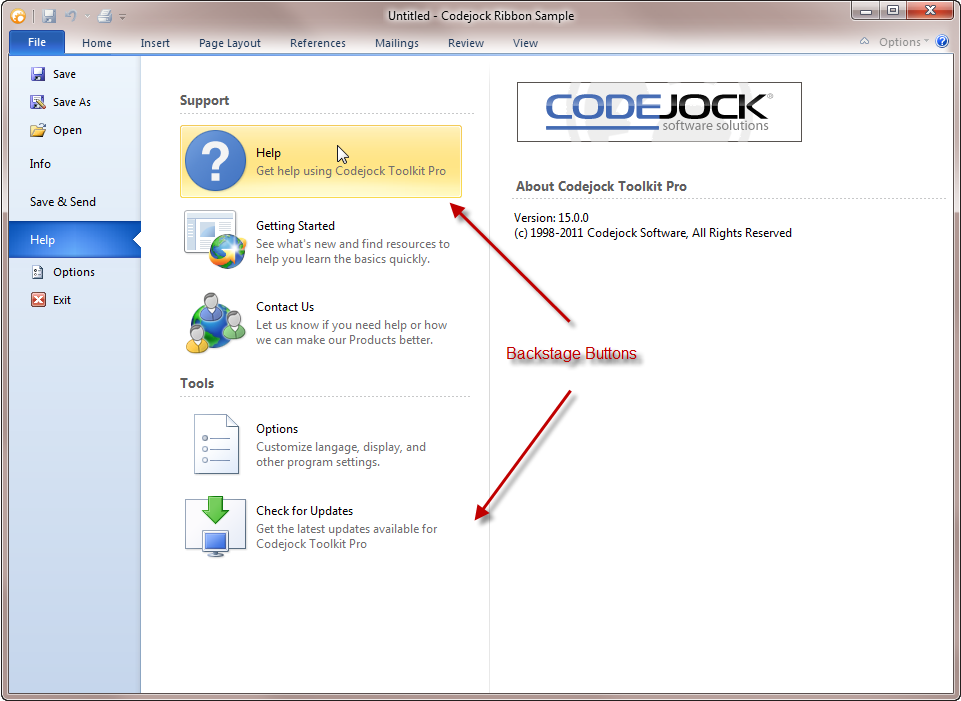
The BackstageButton is used when a button is needed in the Ribbon Back Stage View's control panel or option control panel. The three most used properties of this button are:
FlatStyle enabled buttons are seen in the picture below. When FlatStyle is disabled, you get buttons with a border. TabStyle is used to get the "tab" on the side of the button. Style can be used to create special dropdown buttons using a custom arrow (see xtpButtonDropDownNoGlyph).
Object Model




See Also
Copyright (c) 1998-2024 Codejock Technologies. All rights reserved.