StackGroup Property
Description
Gets/sets the index of the stack group this series belongs to or will be added to. This will create (and is needed for) "Side-by-side" stacked bars.
Property Type
Read-write property
Syntax (Visual Basic)
Public Property StackGroup() As Long
Return Type
The index of the stack group this series belongs to.
Remarks
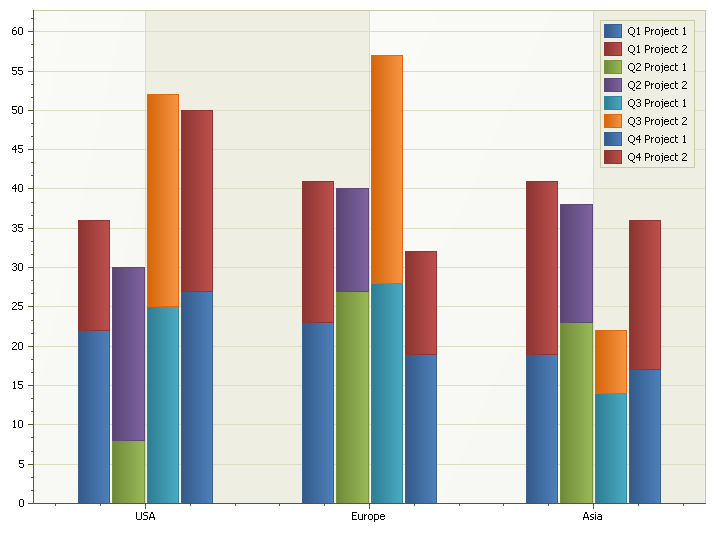
To create side-by-side stacked bars, you must use StackGroup. By assigning a value to StackGroup, you will create "Side-by-side" stacked bars. For each series, you should assign the appropriate StackGroup that the series should be displayed in.
Below is a side-by-side stacked bar chart; the code to create it is displayed below.
Example
Dim i As Long
For i = 1 To 4

    Dim Series As ChartSeries
    Set Series = ChartControl.Content.Series.Add("Q" & i & " Project 1")

    Series.Points.Add "USA", 8 + Round(Rnd() * 20)
    Series.Points.Add "Europe", 12 + Round(Rnd() * 20)
    Series.Points.Add "Asia", 7 + Round(Rnd() * 20)

    Dim Style As ChartStackedBarSeriesStyle
    Set Style = New ChartStackedBarSeriesStyle
    Set Series.Style = Style

    Style.StackGroup = i

    Set Series = ChartControl.Content.Series.Add("Q" & i & " Project 2")

    Series.Points.Add "USA", 8 + Round(Rnd() * 20)
    Series.Points.Add "Europe", 12 + Round(Rnd() * 20)
    Series.Points.Add "Asia", 7 + Round(Rnd() * 20)

    Set Style = New ChartStackedBarSeriesStyle
    Set Series.Style = Style

    Style.StackGroup = i
Next i
See Also
ChartStackedBarSeriesStyle Object
Copyright (c) 1998-2024 Codejock Technologies. All rights reserved.