StackHeight Property
Description
Gets/sets the height of the "stacks" for this series. This is used to make a 100% stacked style chart.
Property Type
Read-write property
Syntax (Visual Basic)
Public Property StackHeight() As Double
Return Type
Returns the stack height for the series.
Remarks
StackHeight is used to make a 100% stacked chart, but can be set to other values, such as 80. The chart will use the lowest value that a series has set and ignore all the larger values. Setting StackHeight for any series will make all the other series use this setting, so only use it if you want to have a "100%" stacked bar/area chart.
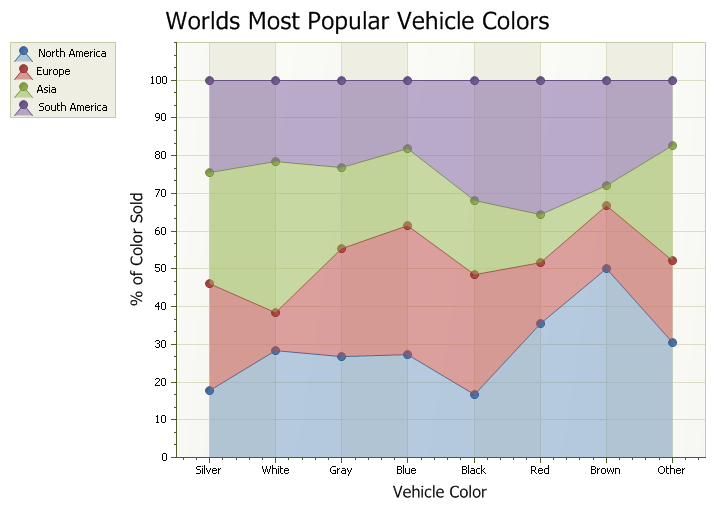
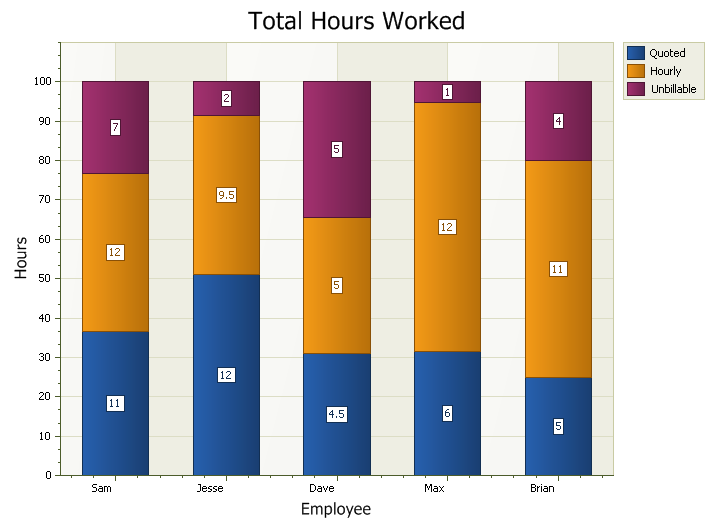
The diagrams below show a stacked area and stacked bar chart.
Example
Sample to show how to use StackHeight to create a 100% Stacked Area chart:
Set ChartControl.Content.Series(3).Style = New ChartStackedAreaSeriesStyle
Set ChartControl.Content.Series(2).Style = New ChartStackedAreaSeriesStyle
Set ChartControl.Content.Series(1).Style = New ChartStackedAreaSeriesStyle
Set ChartControl.Content.Series(0).Style = New ChartStackedAreaSeriesStyle

ChartControl.Content.Series(0).Style.StackHeight = 100
ChartControl.Content.Series(1).Style.StackHeight = 100
ChartControl.Content.Series(2).Style.StackHeight = 100
ChartControl.Content.Series(3).Style.StackHeight = 100
See Also
ChartStackedAreaSeriesStyle Object
Copyright (c) 1998-2024 Codejock Technologies. All rights reserved.