Improved Database Export Wizard
The following improvements were made to the Export Wizard:
-
The interface was changed to match the look and feel of other DataFlex wizards.
-
Command line parameters were updated. Prior to DataFlex 11, command line option values were enclosed in square brackets; this is no longer the case.
Example:
From:
FIELDS=[1,2,4]
To:
FIELDS=1,2,4
-
The XML options page was extended with a new checkbox that allows the wizard to create a DTD during XML export.
-
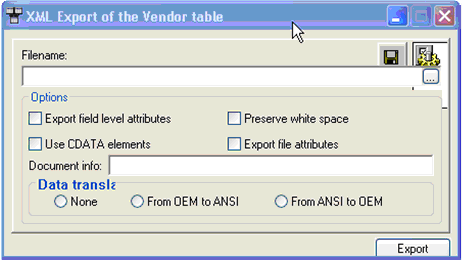
The preserve white space configuration option for XML export was removed, as it is only valid when parsing an XML document.
-
Data translation options (None, OemToAnsi, AnsiToOem) were removed because FleXML will always perform the OemToAnsi conversion. The exported result would be incorrect otherwise.
-
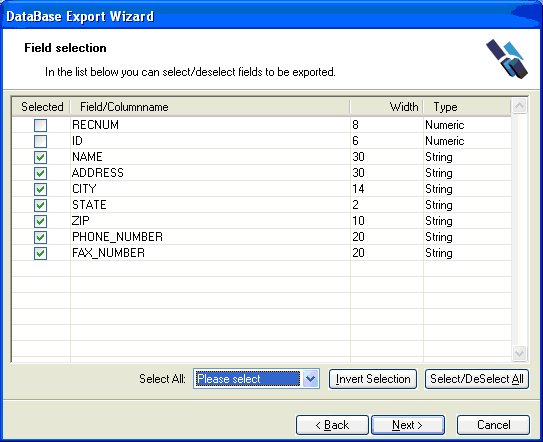
The field selection wizard page now includes two buttons to select/deselect all fields and a combo box to quickly select all ASCII, Numeric, Date, or Text fields.
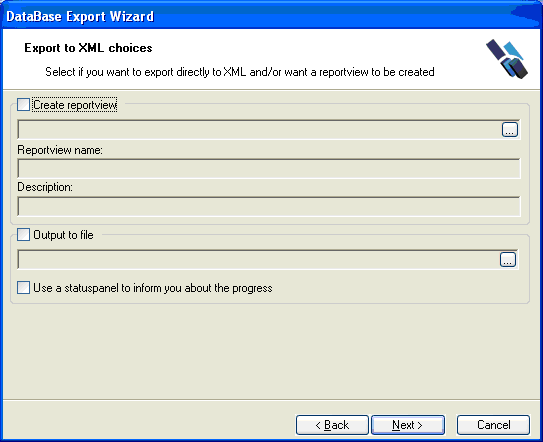
- The export XML choices page was enhanced to support a description for the report view component. Descriptions in ABData must be unique, and users could not set their own descriptions previously.
-
The comma-separated values configuration now supports adding quotes around all data instead of only strings.
-
When outputting to a file or printer, the export wizard allows you to choose between using a status panel or running the export in silent mode. Using the status panel for small files can be an unnecessary overhead.
-
The appearance of the generated report view changed from:
to:
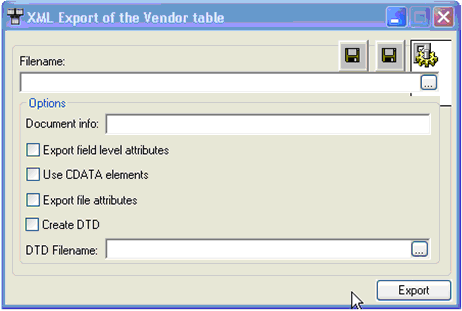
- The new generated report view can create a DTD for you while exporting the data.