AppearanceStyle Enumeration
Description
Paint styles of a control.
Members
| Member | Description |
|---|---|
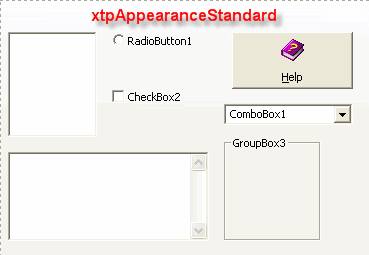
| xtpAppearanceStandard | Standard appearance style. |
| xtpAppearanceFlat | Flat appearance style. |
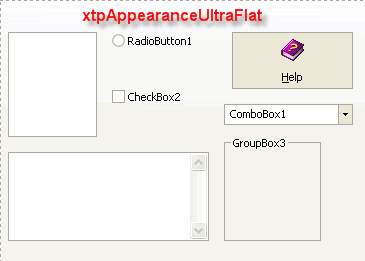
| xtpAppearanceUltraFlat | Ultra flat appearance style. |
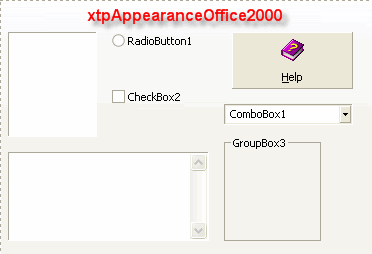
| xtpAppearanceOffice2000 | Office 2000 appearance style. |
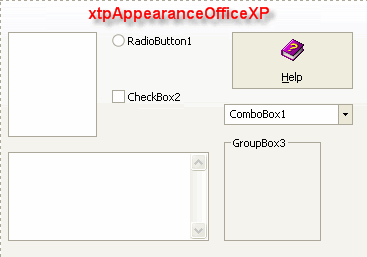
| xtpAppearanceOfficeXP | Office XP appearance style. |
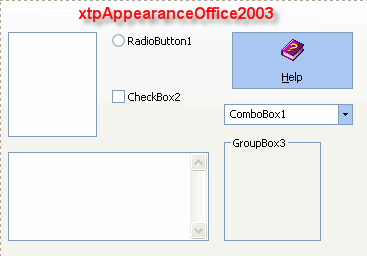
| xtpAppearanceOffice2003 | Office 2003 appearance style. |
| xtpAppearanceResource | Specifies that the control will use a theme from a resource file. I.e., Office 2007, Office 2007/2010 Ribbon, Office 2010, and Windows 7 appearances. |
| xtpAppearanceOffice2007 | Office 2007 appearance style. |
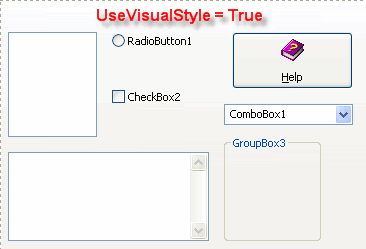
| xtpAppearanceNativeWinXP | Native Windows XP appearance style. |
| xtpAppearanceVisualStudio2005 | Visual Studio 2005 appearance style. |
| xtpAppearanceVisualStudio2008 | Visual Studio 2008 appearance style. |
| xtpAppearanceVisualStudio2010 | Visual Studio 2010 appearance style. |
| xtpAppearanceOffice2013 | Office 2013 appearance style. |
| xtpAppearanceOffice2016 | Office 2016 appearance style. |
| xtpAppearanceVisualStudio2012 | Visual Studio 2012 appearance style. |
| xtpAppearanceVisualStudio2012Light | Visual Studio 2012 Light appearance style. |
| xtpAppearanceVisualStudio2012Dark | Visual Studio 2012 Dark appearance style. |
| xtpAppearanceVisualStudio2015 | Visual Studio 2015 appearance style. |
| xtpAppearanceNativeWindows10 | Native Windows 10 appearance style. |
| xtpAppearanceVisualStudio2017 | Visual Studio 2017 appearance style. |
| xtpAppearanceVisualStudio2019 | Visual Studio 2019 appearance style. |
| xtpAppearanceVisualStudio2022 | Visual Studio 2022 appearance style. |
See the Loading a Resource Theme Sample for code snippets.
Remarks
Below are some pictures of what you can expect your controls to look like when using each of the predefined Appearance Styles.
Copyright (c) 1998-2024 Codejock Technologies. All rights reserved.