XTPGridColumnStyle Enumeration
Description
Specifies the style of the GridColumn headers.
Members
-
xtpColumnShaded

-
xtpColumnFlat

-
xtpColumnExplorer

-
xtpColumnOffice2003

-
xtpColumnResource
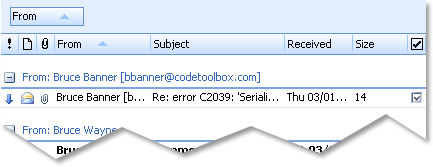
This setting is used when loading a theme from a resource. You can specify that the Grid will use a theme from a resource file, such as Office 2007, Office 2007/2010 Ribbon, Office 2010, and Windows 7 appearances.
See the Loading a Resource Theme Sample for code snippets.
| Member | Description |
|---|---|
| xtpColumnShaded | Columns are displayed in the "shaded/grey" style. |
| xtpColumnFlat | Column headers are displayed in the "flat" style. |
| xtpColumnExplorer | Column headers are displayed in the Windows "Explorer" style. This is intended to match the Visual Studio 2005 "Whidbey" style. |
| xtpColumnOffice2003 | Column headers are displayed in the "Office 2003" style. |
| xtpColumnResource | Column headers are displayed using the specified resource. |
Remarks
Represents predefined column styles.
Example
This sample illustrates how to change the style of the column headers in Visual Basic:
wndGridControl.PaintManager.ColumnStyle = xtpColumnFlat
wndGridControl.Redraw
See Also
Copyright (c) 1998-2024 Codejock Technologies. All rights reserved.