FlowGraph Control
Description
The Flow Graph Control is used to display relationship graphs. For a list of all members defined in this module, see FlowGraph Members.
Object Model











Remarks
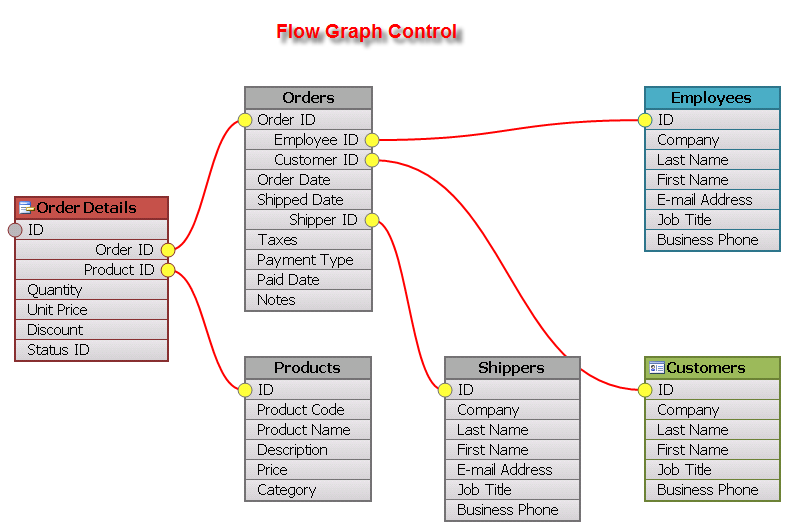
The Flow Graph Control is used to display relationship graphs, which can be thought of as relationship diagrams commonly used to illustrate the relationships for a relational database.
- The control consists of Nodes, which can be thought of as tables in a database.
- The Nodes contain connections (fields of a table).
- The connections can have many connection points that can be used to link the connections between different nodes (e.g., linking an invoice table to a customer table via a connection).
Nodes and connection lines can be dragged around the graph, allowing the user to fully customize the look of their relationship diagram. The control also supports undo/redo edit operations in cases where nodes are moved, renamed, or connections are added/removed.
Several different zoom navigation functions allow the control to: - Zoom to a specific node - Zoom to a range of nodes - Zoom to selection - Fit to the window
Page transitions can be used to transition from one database to another.
See Also
Copyright (c) 1998-2024 Codejock Technologies. All rights reserved.